Digital Assembly Lines: How to Build End-to-End Workflows with Zapier AI
Discover how to build “digital assembly lines” using Zapier AI. Learn to connect 8,000+ apps, automate complex workflows, and scale your business with no-code AI orchestration.
The Inefficiency Hidden in Your Daily Work
Every day, your team performs thousands of small, repetitive tasks. Copying data from an email into a spreadsheet. Moving a customer record from your form builder to your CRM. Checking a box when a task is complete.
Individually, these tasks take seconds. Collectively, they consume hours—sometimes days—of productive time each week. And worse, they introduce errors. A typo here. A missed update there.
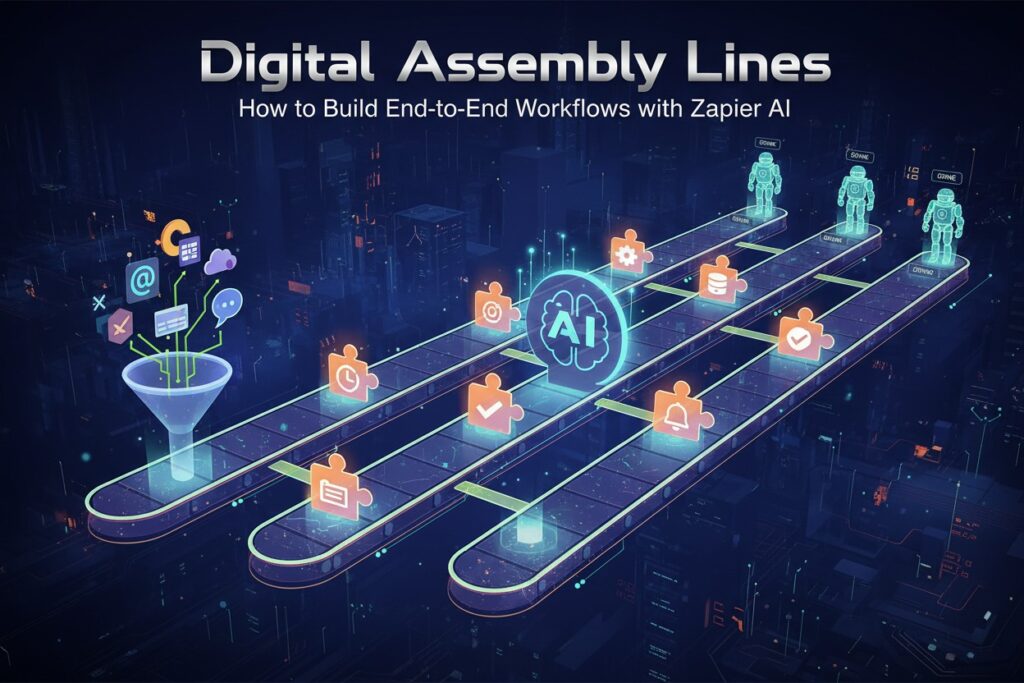
In manufacturing, the assembly line revolutionized production. Raw materials entered one end; finished products emerged from the other. Each step triggered the next automatically. No waiting. No manual handoffs.

Now, that same principle has arrived for digital work. Welcome to the era of the digital assembly line—powered by Zapier AI.
What Is a Digital Assembly Line?
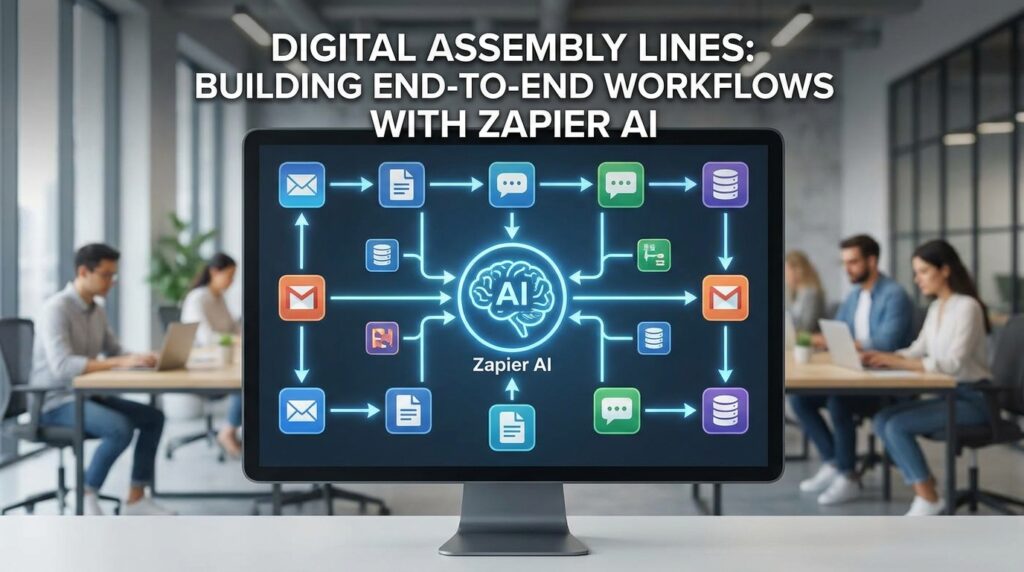
A digital assembly line is an end-to-end automated workflow where each step triggers the next without human intervention. When a customer fills out a form, your CRM updates automatically. When a deal closes, your accounting software generates an invoice. When a support ticket arrives, an AI drafts a response.
Zapier, the leading no-code automation platform, has evolved far beyond simple “if this, then that” connections. With the introduction of AI-powered features—including Agents, Copilot, and AI by Zapier—you can now build intelligent, adaptive workflows that handle complex business processes from start to finish .
The platform connects over 8,000 apps and more than 450 AI tools, making it the most extensive integration network available . Whether you use Salesforce, Shopify, Gmail, Slack, or Notion, Zapier can bridge the gaps between them.
The Evolution: From Zaps to Agents
To understand the digital assembly line, you need to understand Zapier’s three layers of automation.
Layer 1: Traditional Zaps (Trigger → Action)
The original Zapier model is straightforward: When Event A happens, do Action B. A new email arrives; save the attachment to Google Drive. A payment processes; add the customer to a mailing list.
This works for simple tasks but breaks down when workflows require decisions, context, or adaptation.
Layer 2: Multi-Step Zaps with Paths
Adding conditional logic—”if this, then that; otherwise, do something else”—creates branching workflows. A support ticket comes in. If it contains the word “urgent,” send a Slack alert to the on-call engineer. If not, add it to the standard queue.
This is more powerful, but still rigid. Every possibility must be anticipated and coded into the workflow.
Layer 3: AI Agents (Autonomous Workflows)
Released in January 2025, Zapier Agents represent a leap forward . Instead of following fixed rules, Agents work toward a goal. You describe what you want to accomplish in plain English, and the Agent figures out the steps.
For example: “Monitor our CRM for new leads, research each company online, draft a personalized outreach email, and notify the sales team in Slack.”
The Agent breaks this down, decides which tools to use, handles errors, and adapts to edge cases—all without additional programming .
The Core Components of a Digital Assembly Line
Building an end-to-end workflow with Zapier AI requires understanding several key features. Here is how they work together.
1. AI by Zapier: The Processing Unit
Think of AI by Zapier as the brain of your assembly line. This built-in tool lets you add AI actions directly into any Zap—no separate OpenAI account required .
What it does:
- Extracts data from unstructured text (emails, documents, web pages)
- Classifies information into categories
- Summarizes long content
- Generates copy, responses, or translations
- Searches across multiple URLs for relevant information
Real-world example: A customer sends a support email. AI by Zapier reads the email, extracts the order number and issue type, and summarizes the problem in two sentences. This structured data then feeds into your helpdesk system .
The tool includes pre-built templates for common use cases, a prompt strength indicator to optimize your instructions, and the ability to save and reuse effective prompts across multiple workflows .
2. Zapier Agents: The Autonomous Workers
Agents are task-specific AI assistants that execute complex, multi-step processes. Unlike standard Zaps, which follow a predetermined path, Agents make decisions in real-time .
Key capabilities:
- Task planning: The Agent analyzes your goal and charts a sequence of actions.
- Subtask delegation: It can recruit other Agents or Zaps to handle specialized work.
- Data retrieval: It pulls live context from your apps or searches the web.
- Error recovery: If one approach fails, the Agent tries an alternative rather than stopping .
Real-world example: A marketing team configured an Agent to monitor new leads in their CRM, enrich each record with web research, and trigger personalized email sequences. The result? Weekly leads jumped from 270 to 400—a 48 percent increase—while eliminating three part-time researcher roles .
3. Zapier Copilot: The AI Builder
You do not need to be an automation expert to build digital assembly lines. Zapier Copilot is an AI-powered assistant that helps you create and edit Zaps using natural language .
How it works: Describe your workflow in plain English—”When a customer makes a payment in QuickBooks, find the customer’s open deal in HubSpot, then mark it as closed”—and Copilot builds the Zap for you .
It suggests triggers and actions, auto-populates field values, connects your app accounts, and even helps troubleshoot errors. You can use voice recognition to dictate workflows or attach files for context .
4. Zapier Tables: The Central Data Hub
Every assembly line needs a central source of truth. Zapier Tables provides a spreadsheet-like database that stores and organizes data as it moves through your workflows .
You can add AI fields to your Tables that automatically populate based on prompts you define. For example, a “Sentiment” field might analyze customer feedback and output “Positive,” “Neutral,” or “Negative” without manual input .
5. Zapier Canvas: The Visual Blueprint
Before building, you need to plan. Zapier Canvas is a drag-and-drop diagramming tool that lets you map out your ideal workflow visually .
Draw boxes for each step—data capture, AI processing, routing, human review—connect them with arrows, and then turn the diagram into a working Zap. This is especially valuable for complex processes involving multiple teams and systems.
How to Build Your First Digital Assembly Line: A 7-Step Framework
Orchestrating AI workflows does not have to be overwhelming. Follow this repeatable framework .
Step 1: Map the Process in Zapier Canvas
Start by sketching your workflow visually. Identify the trigger (what starts the process), the steps (what happens in between), and the outcome (where the work ends). Include decision points where human review might be required.
Step 2: Centralize Data with Zapier Tables
Create a single source of truth for the data moving through your workflow. Set up columns to track context throughout the process. Add AI fields that auto-populate based on your predefined prompts .
Step 3: Choose the Right AI Model
Different AI models have different strengths .
| Platform | Best For | Relative Cost |
|---|---|---|
| ChatGPT (OpenAI) | Natural language understanding, logic | $$ |
| Claude (Anthropic) | Long documents, legal review, code | $$ |
| Gemini (Google) | Multimodal tasks, Google Workspace | $ |
| Perplexity | Real-time search, citations | Free / $ |
AI by Zapier uses OpenAI models in the background, so you do not need to manage separate accounts for basic use cases .
Step 4: Chain Tasks with Paths and Formatters
This is where your logic comes to life. Use filters to decide which data proceeds. Use formatters to clean and standardize information. Use paths to create branches based on conditions .
Example workflow:
- Trigger: New support ticket in Freshdesk
- Filter: Only continue if email field is filled out
- Format: Clean up ticket text (strip signatures, normalize formatting)
- AI step: Summarize the issue using ChatGPT
- Path: Route urgent tickets to on-call engineer in Slack; send others to standard queue
Step 5: Add Agents for Autonomous Decision-Making
Once your basic orchestration works, upgrade to Agents. Describe a goal in plain language—”Qualify incoming leads and route them to the appropriate salesperson based on region and deal size”—and let the Agent figure out the execution .
Agents can work completely in the background, handling repetitive work while your team focuses on high-judgment tasks.
Step 6: Set Guardrails with Human Review
The more powerful your automation becomes, the more important control becomes. Add conditional approval steps for sensitive actions. Set up error handling that alerts your team when something fails. Monitor token usage to avoid cost surprises .
Zapier supports role-based permissions, version history, execution logs, and SOC 2 compliance—essential for regulated industries .
Step 7: Measure, Iterate, and Scale
Track four key metrics across your workflows :
- Tasks run
- Hours saved
- Accuracy rate
- Cost per task
Conduct a quarterly orchestration audit. Review what is working. Clean up legacy logic. Identify new opportunities to scale automation across teams.
Real-World Examples: Digital Assembly Lines in Action
Example 1: Lead Management for Sales Teams
The problem: A fast-growing company was managing hundreds of inbound leads daily across HubSpot and Salesforce. Manually qualifying, enriching, and routing leads was unsustainable.
The solution: Using over 100 automated workflows, Popl orchestrated a system that checks lead details in Google Sheets, alerts the right sales rep in Slack, and assigns leads based on rules like region and company size. AI steps auto-categorize inbound emails and enrich lead data in real-time.
The result: The company saved $20,000 per year by replacing a costly integration, and sales reps shifted from busywork to high-value conversations .
Example 2: Bulk Order Tracking Updates
The problem: An e-commerce merchant needed to update tracking URLs for hundreds of orders after shipping. Doing this manually in the back office was time-consuming and error-prone.
The solution: The merchant loaded an Excel file with order IDs and tracking URLs into Claude (an AI assistant connected via Zapier MCP). They gave a simple instruction: “Update each order with its tracking URL.” Claude identified the correct action through Zapier and processed every order automatically.
The result: Hundreds of orders were updated in minutes—no code, no API work, no manual data entry .
Example 3: Customer Support Triage
The problem: A support team was drowning in tickets, spending hours sorting and prioritizing incoming requests.
The solution: AI by Zapier analyzes each new ticket, classifies it by issue type and urgency, and routes it to the appropriate queue. For common issues, it drafts a response that agents can review and send with one click.
The result: Response times dropped significantly, and agents focused on complex problems rather than repetitive triage .
Costs and Considerations
Pricing Structure
Zapier prices by task volume rather than charging separately for AI features. All plans include access to AI capabilities .
| Plan | Monthly Price (annual billing) | Tasks Included |
|---|---|---|
| Professional | $19.99 | 750 |
| Team | $69 | 2,000 |
| Enterprise | Custom | Custom |
Each Agent action counts as one task. Heavy automation can consume tasks quickly, so monitoring usage is essential. However, tasks consumed during testing do not count against quotas .
Common Pitfalls to Avoid
- Over-automating without human review. Without checkpoints, you risk sending wrong emails or making irreversible decisions. Add approval steps for sensitive outputs .
- Ignoring data hygiene. Even the best AI cannot fix messy data. Use clear naming conventions and run regular checks for duplicates .
- Forgetting change management. The best workflow fails if no one knows how to use it. Run demos, gather feedback, and maintain documentation .
The Future: Fully Autonomous Workflows
Zapier is positioning itself as the “central nervous system for enterprise AI orchestration” . The roadmap includes:
- Expanded partner programs for agencies implementing Agents in enterprise environments
- Deeper enterprise features like on-premise connectors
- Growth from 450+ AI tools toward 1,000+
- Fine-grained governance controls via the Model Context Protocol
The ultimate vision is a platform where managers describe business processes in plain English, and the system assembles the necessary automations and Agents automatically .
Getting Started Today
You do not need to automate everything at once. Start small.
Pick one frustrating, repetitive process that consumes your team’s time. Map it out. Build a simple Zap that handles just one step. Test it. Expand it. Add AI where it adds value.
Within Zapier, begin with the AI quick start guide—it walks you through adding your first AI action step in minutes . Use the pre-built templates for common use cases like summarization, data extraction, or content generation .
The goal is not to replace your team. It is to free them from the work that software can do, so they can focus on the work that only humans can do: building relationships, solving novel problems, and driving your business forward.
Frequently Asked Questions
Q: Do I need coding skills to use Zapier AI?
A: No. Zapier is a no-code platform. AI by Zapier, Copilot, and Agents all work through natural language descriptions and visual builders .
Q: What is the difference between a Zap and an Agent?
A: A Zap follows a fixed, rule-based path you define in advance. An Agent works toward a goal you describe in plain language, deciding which steps to take and adapting to new situations .
Q: Is my data secure with Zapier AI?
A: Zapier is SOC 2 Type II, SOC 3, and GDPR compliant. It offers role-based permissions, audit logs, and human-approval checkpoints for sensitive actions .
Q: Can I use my own AI model instead of Zapier’s?
A: Yes. AI by Zapier supports models from OpenAI, Anthropic, Google, and Azure OpenAI. You can connect your own accounts if you prefer .
Q: How long does it take to build a workflow?
A: Zapier’s CEO notes that most customers get their first AI workflow running in under a day. Achieving sustained value requires iteration and refinement.