Kling 2.6 Pro: The AI Video Generator That Finally Nailed Native Audio
Kling 2.6 Pro: The AI video generation landscape has been moving at breakneck speed. In 2024, we were thrilled just to get five seconds of coherent footage. In 2025, motion quality became the battleground. But now, in 2026, a new frontier has emerged: native audio-video co-generation.
Enter Kling 2.6 Pro from Kuaishou Technology—the company behind the massive short-video platform Kwai. This isn’t just another incremental update to the Kling series. This is a fundamental architectural shift that finally solves one of the most frustrating bottlenecks in AI video production: the separation of sound and vision .
For the first time in the Kling lineup, the Pro version generates synchronized audio and video in a single pass. No more exporting a silent clip and desperately hunting for royalty-free sound effects that kind of match the action. No more manual lip-sync struggles. Kling 2.6 Pro delivers a complete, broadcast-ready package from a single prompt .
This guide breaks down everything you need to know about Kling 2.6 Pro—the features, the pricing, the performance benchmarks, and exactly who should be using it.
1. Native Audio: The Game-Changer Everyone Was Waiting For
Let’s be honest. Watching a silent AI video is a hollow experience. You see an explosion. You see a character speaking. But you hear nothing. That disconnect instantly shatters the illusion of reality.
Kling 2.6 Pro eliminates this problem with deep multimodal audio-visual synergy . When you generate a video, the model creates three layers of audio simultaneously:
- Dialogue and Voice: Characters speak with natural cadence. If you prompt a monologue or a conversation, the model generates speech that matches the on-screen subject.
- Ambient Soundscapes: Environmentally appropriate background noise—rain falling, traffic humming, crowds murmuring—is woven directly into the output.
- Synchronized Sound Effects: Action-specific sounds like footsteps, door slams, or splashing water are timed precisely to the frame-level visual event .
Lip-Sync That Actually Works: Perhaps the most impressive technical achievement is the character-aware voice synchronization. The model doesn’t just slap audio onto a video; it ensures that mouth movements align with phonetic sounds. Independent testing has confirmed that Kling 2.6 Pro handles both English and Chinese voice generation natively, with automatic translation support for other languages .
2. Two Paths to Creation: Text-to-Video and Image-to-Video
Kling 2.6 Pro offers flexible input methods to fit different creative workflows.
Text-to-Video: Describe your scene in natural language. The model handles everything—camera movement, character action, lighting, and the accompanying soundscape. This is ideal for rapid ideation and generating concepts from scratch .
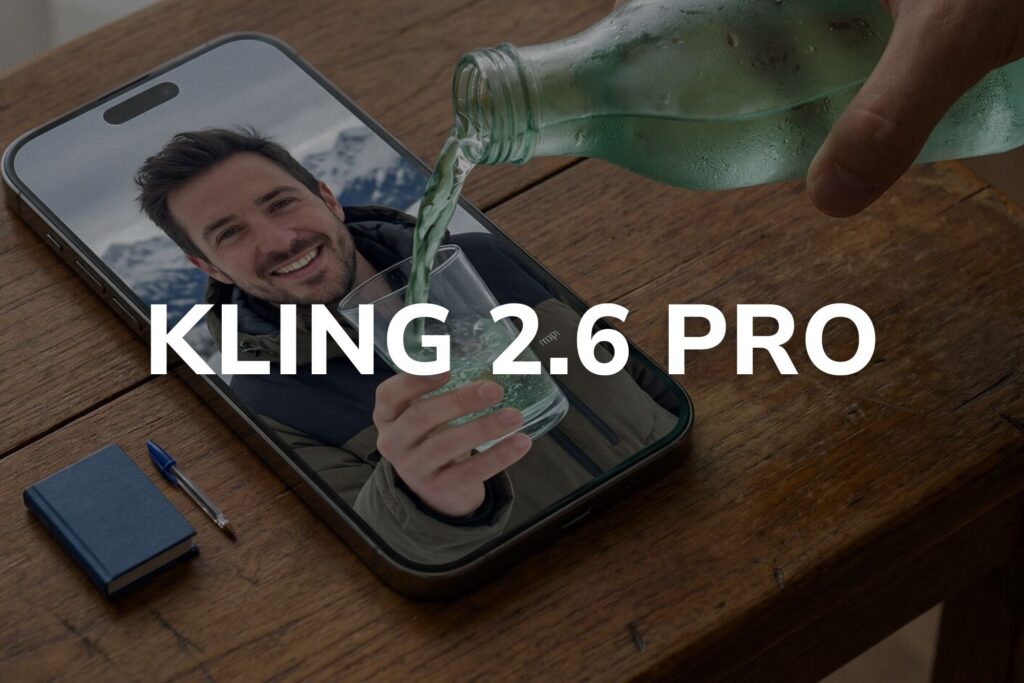
Image-to-Video: Upload a static image as your starting frame. The model animates the scene while preserving the identity and visual details of your subject. This is perfect for bringing product shots, character art, or brand assets to life with dynamic motion and synchronized audio .
Pro Tip: For best results, keep your image and prompt aligned. The model works optimally when the described scene logically extends from the uploaded frame rather than depicting something entirely different .
3. Technical Specifications and Controls
Kling 2.6 Pro is built for creators who need control, not just random generation. Here are the key parameters you can adjust :
| Parameter | Options / Details |
|---|---|
| Duration | 5 seconds or 10 seconds |
| Aspect Ratios | 16:9 (landscape), 9:16 (vertical social), 1:1 (square) |
| Resolution | 1080p HD |
| CFG Scale | 0.0 to 1.0 (controls prompt adherence vs. creative freedom; 0.5 is default) |
| Negative Prompts | Specify elements to avoid in both visuals and audio (e.g., watermark, logo, distortion) |
| Audio Toggle | “On” for full audio generation; “Off” for silent video (lower cost) |
The CFG (Classifier-Free Guidance) scale is particularly worth understanding. A lower value (closer to 0) gives the model more creative freedom, resulting in more organic, natural motion. A higher value (closer to 1) forces the model to adhere strictly to your prompt wording, which can produce more predictable but potentially less fluid results. The sweet spot for most use cases is the default 0.5 .
4. Performance Benchmarks: How Does It Stack Up?
Recent third-party comparisons have pitted Kling 2.6 Pro against heavyweights like ByteDance’s Seedance 2.0 and Google’s Veo 3.1. Here is where Kling 2.6 Pro shines .
Visual Quality: Kling 2.6 Pro consistently produces sharp textures and stable motion, particularly in fast-paced action content. When it comes to aggressive POV shots, handheld camera movements, and high-speed sequences, reviewers note it feels less “AI-ish” than competitors. The physics accuracy for complex mechanical motion—vehicles, machinery, structural interactions—is industry-leading .
Prompt Adherence: One of the starkest differentiators between Kling 2.6 Pro and its rivals is how faithfully it follows instructions. Kling 2.6 Pro is precise. If you write a detailed prompt specifying character positions, lighting setups, and camera angles, you are far more likely to get exactly what you asked for without endless regeneration loops. This makes it the superior choice for commercial work where a specific brief must be executed perfectly .
Audio Quality: While Veo 3.1 may have a slight edge in emotional nuance for dialogue-heavy scenes, Kling 2.6 Pro produces clean, richly layered soundscapes that meet professional production standards. The lip-sync accuracy is particularly strong for both English and Chinese content .
Where It Trails: For organic, biological motion—humans walking, animals moving, flowing water—competitors like Seedance 2.0 currently produce more natural and fluid results. Kling 2.6 Pro’s motion is precise, but Seedance’s motion is beautiful . Choose based on your subject matter.
5. Pricing and Availability
Kling 2.6 Pro is accessible through multiple platforms, including the WaveSpeedAI API and Poe, with transparent per-second pricing .
| Mode | Duration | Price |
|---|---|---|
| No Audio | 5 seconds | $0.35 |
| No Audio | 10 seconds | $0.70 |
| With Audio | 5 seconds | $0.70 |
| With Audio | 10 seconds | $1.40 |
This pricing model scales directly with video length and audio complexity, giving you straightforward cost control for production budgets . The audio-off option is significantly cheaper, making it viable to generate silent clips for workflows where you plan to add custom audio separately.
Subscription Options: For heavy users, Kling AI also offers subscription plans starting around $6.99 per month, which provide access to the model along with additional features like longer video durations (up to 3 minutes) and multi-image character consistency tools .
6. Real-World Use Cases
Social Media Content: Create scroll-stopping TikTok, Reels, or YouTube Shorts with immersive audio built in. The 5-second duration is perfect for punchy, loopable clips that demand immediate attention .
Marketing and Promotional Content: Transform product images into dynamic promotional videos with native voiceover. The synchronized audio eliminates post-production sound work, accelerating campaign timelines from days to minutes .
Commercial and Branded Content: For clients who require precise execution of specific briefs, Kling 2.6 Pro’s high prompt fidelity ensures you deliver exactly what was requested without endless “that’s not what I meant” iterations .
Urban and Architectural Visualization: The model’s superior handling of hard surfaces, metal, concrete, glass, and manufactured materials makes it ideal for cityscape renders, product visualization, and architectural walkthroughs .
7. Limitations to Consider
No tool is perfect. Before committing to Kling 2.6 Pro, understand these constraints:
- Short-Form Focus: The model is optimized for 5 to 10-second clips. For longer narratives, you will need to chain multiple generations together .
- Organic Motion Ceiling: As noted, for highly natural biological movement (dancing, running, flowing hair), other models may produce more convincing results .
- Iteration Still Required: Complex motion or highly specific creative intent may still require prompt refinement and multiple generations—it is not a one-shot magic button .
- No Native Motion Control: Unlike the specialized Kling 2.6 Pro Motion Control variant, the standard Pro model does not allow frame-level motion trajectory control .
Conclusion: Is Kling 2.6 Pro Right for You?
Kling 2.6 Pro represents a significant leap forward in AI video generation, primarily by solving the native audio problem that has plagued the industry. If you create content featuring urban environments, vehicles, mechanical motion, or commercial product shots, and you need precise prompt adherence and professional-grade audio synced out of the box, Kling 2.6 Pro is arguably the best tool available in 2026.
If your work focuses primarily on organic, character-driven narratives with flowing, cinematic motion, you may want to test it alongside Seedance 2.0 to see which aesthetic fits your vision. But for creators who value control, precision, and efficiency, Kling 2.6 Pro delivers where it matters most.
Frequently Asked Questions (FAQ)
Q: Does Kling 2.6 Pro support both text-to-video and image-to-video?
A: Yes, the model fully supports both input modes, giving you flexibility depending on your starting assets .
Q: What languages does the native audio support?
A: Kling 2.6 Pro natively generates audio in English and Chinese with accurate lip-sync. It also offers automatic translation support for other languages .
Q: How long can generated videos be?
A: The standard durations are 5 seconds and 10 seconds per generation .
Q: Is Kling 2.6 Pro free?
A: No, it is a paid service. Pricing starts at $0.35 for a 5-second silent video and $0.70 for a 5-second video with audio . Subscription plans are also available through the official Kling platform .