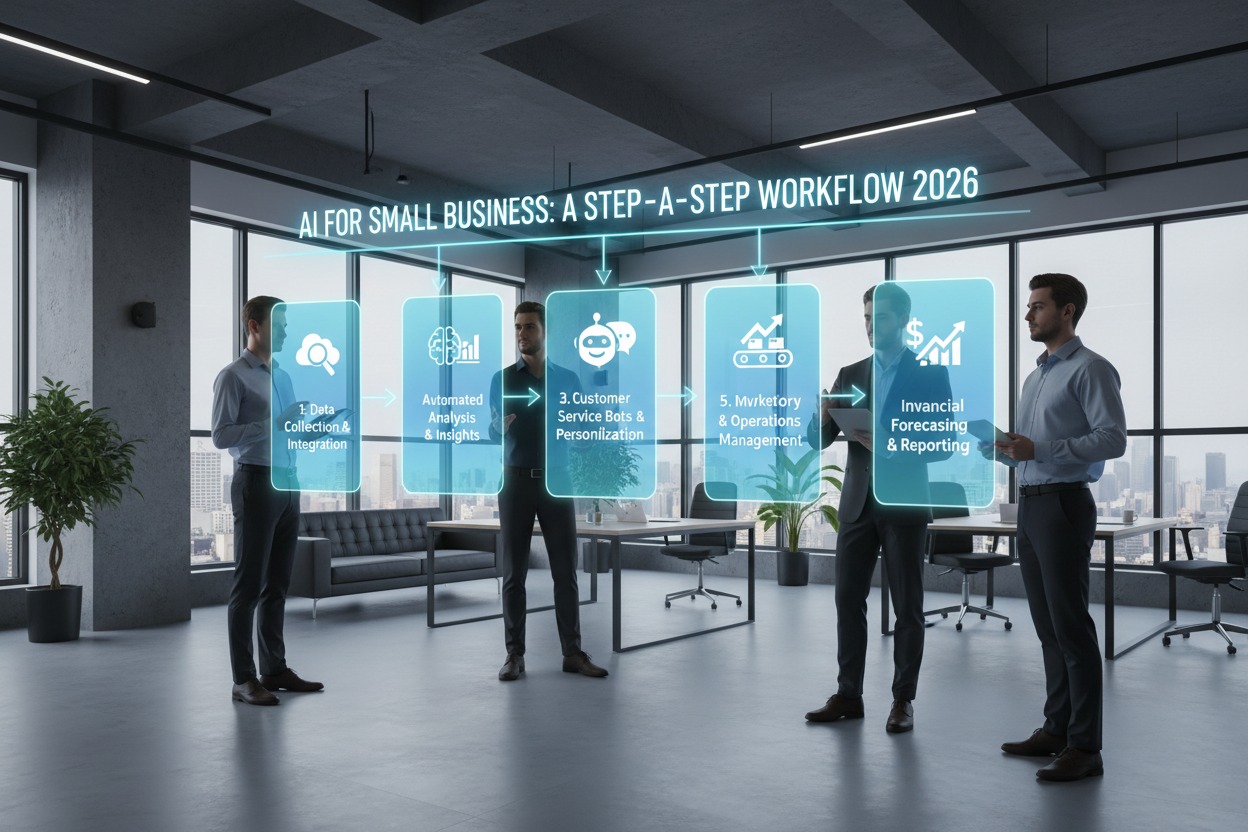
AI for Small Business: A Step-by-Step Workflow 2026
AI for Small Business: In 2026, the gap between small businesses and global enterprises is closing, thanks to artificial intelligence. No longer a luxury for tech giants, AI-driven customer support has become a strategic necessity for small business owners who need to scale without doubling their headcount.
Automating your support doesn’t mean losing the “human touch.” Instead, it’s about using technology to handle repetitive queries so your team can focus on complex, high-value customer interactions. This guide provides a proven, step-by-step workflow to build a professional AI support system from scratch.
Why Small Businesses Are Pivoting to AI Support in 2026
The ROI for AI automation is no longer theoretical. Recent data shows that small businesses implementing AI workflows see an average 20–30% ROI within the first year, primarily through:
- 24/7 Availability: AI agents don’t sleep, ensuring international customers get answers instantly.
- Cost Reduction: Automating routine FAQs can reduce operational costs by up to 30%.
- Faster Resolution: AI can handle hundreds of simultaneous chats, dropping first-response times from hours to seconds.
- Scalability: You can handle seasonal traffic spikes (like Black Friday or holiday sales) without hiring temporary staff.
Phase 1: Assessment and Data Preparation
Before picking a tool, you must organize the “brain” of your AI. An AI agent is only as good as the data it is trained on.
1. Identify Your Top Contact Drivers
Review your last 30 days of support tickets or emails. Categorize them into “Tiers”:
- Tier 1 (Automatable): “Where is my order?”, “What is your return policy?”, “Do you ship to Cambodia?”
- Tier 2 (Hybrid): “I received the wrong item,” or “My discount code isn’t working.”
- Tier 3 (Human Only): Complex technical troubleshooting or high-value VIP complaints.
2. Clean Your Knowledge Base
AI models in 2026 utilize RAG (Retrieval-Augmented Generation). This means they “read” your existing documents to provide answers. Ensure your FAQ page, PDF manuals, and Google Docs are up to date.
SEO Tip: Use clear headers (H2, H3) in your knowledge base. This helps both your AI and Google understand your content structure.
Phase 2: Choosing the Right AI Support Stack
For small businesses, “No-Code” is the gold standard. You want a tool that integrates with your existing website (WordPress, Shopify) without needing a developer.
| Platform | Best For | Key AI Feature |
| Tidio (Lyro) | Solo Entrepreneurs | Simple “plug-and-play” FAQ automation. |
| Intercom (Fin) | Growing SaaS/Service | Advanced conversational AI with deep “intent” detection. |
| eDesk | eCommerce Sellers | Native integration with 250+ marketplaces (Amazon, eBay). |
| Zendesk | Multi-channel Support | Advanced AI ticket routing and sentiment analysis. |
Phase 3: The Step-by-Step Implementation Workflow
Step 1: Define Your “Brand Voice”
In your AI settings, you must define how the bot speaks. For a small business, a “Professional yet Friendly” tone usually works best.
- Bad Prompt: “Answer the user’s question.”
- Good Prompt: “You are a helpful assistant for a boutique decor shop. Be concise, warm, and always offer a human handoff if the user feels frustrated.”
Step 2: Set Up Intent Classification
Modern AI doesn’t just look for keywords; it understands intent. Configure your system to recognize when a user is asking about “Shipping” vs. “Returns.”
- Action: Seed your AI with 20–50 real-world variations of common questions to improve its accuracy.
Step 3: Implement Agentic Actions
In 2026, AI goes beyond “talking.” It can “do.” Using tools like Zapier or built-in API connectors, allow your AI to:
- Check order status in your CRM.
- Update a customer’s email address.
- Generate a return shipping label automatically.
Step 4: The “Human-in-the-Loop” Guardrail
Never trap a customer in a “bot loop.” Set clear triggers for human escalation:
- Sentiment Trigger: If the AI detects anger or frustration.
- Repetition Trigger: If the user asks the same question three times.
- Value Trigger: For orders over a certain dollar amount.
Phase 4: Testing and Optimization
1. The “Sandbox” Phase
Run the AI in a private environment first. Test “hard cases”—questions that are vague or contain typos. Ensure the AI cites its sources (e.g., “According to our shipping policy…”).
2. Monitoring “Containment Rate”
The primary metric for success is the Containment Rate—the percentage of queries resolved by AI without human intervention. Aim for 50-70% for a healthy small business workflow.
Phase 5: SEO Strategy for Your Support Content
To rank for “AI for Small Business” topics and gain AdSense approval, your content must demonstrate E-E-A-T (Experience, Expertise, Authoritativeness, and Trustworthiness).
- Keyword Optimization: Include long-tail keywords like “how to automate customer service for small business” and “best AI chatbots for Shopify 2026.”
- Internal Linking: Link this guide to your specific product tutorials or case studies.
- Add Visuals: Use screenshots of your AI workflow or comparison tables (like the one above) to reduce “wall of text” fatigue.
Conclusion: The Future of Small Business Support
Automating your customer support is no longer about replacing humans—it’s about empowering them. By implementing this workflow, you ensure your customers get instant answers while your team focuses on building the relationships that truly grow your business.