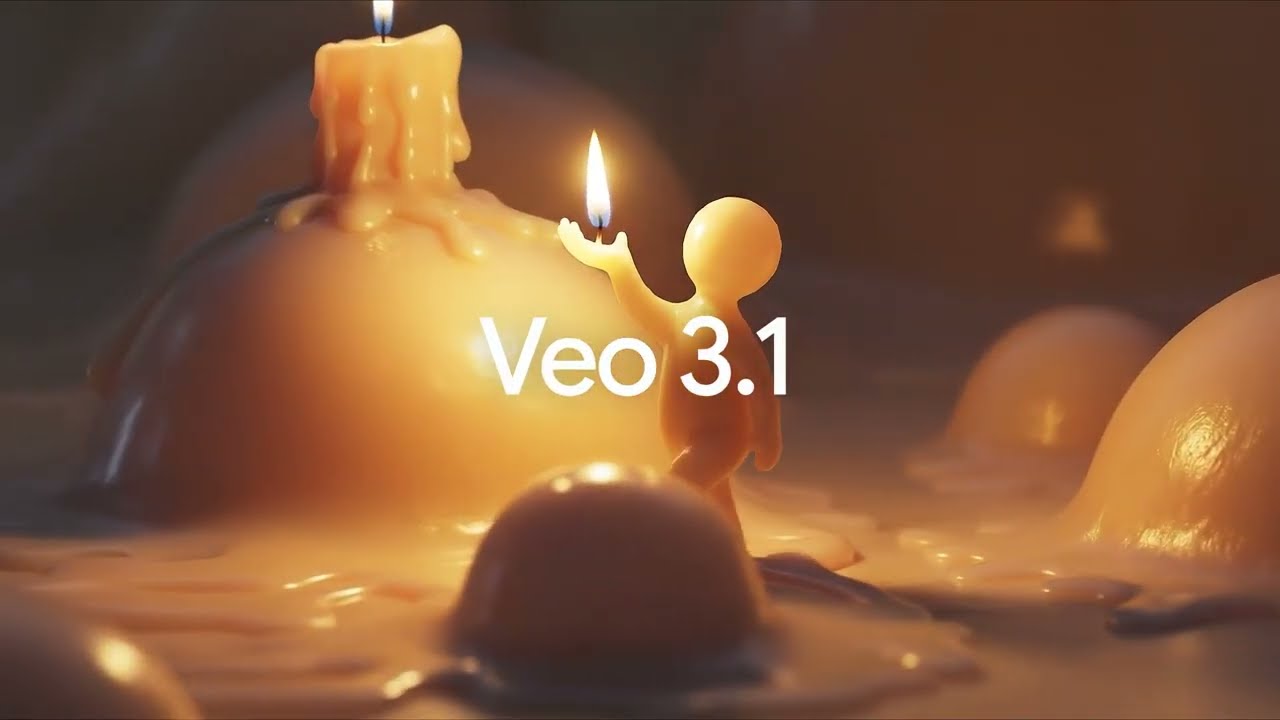
Google Veo 3.1 Review 2026: The Cinematic Powerhouse That Just Got Affordable
Google Veo 3.1 Review 2026: The AI video generation landscape is shifting fast. OpenAI shut down Sora in April 2026, citing massive operational costs, while Chinese competitors like Kling and Seedance continue to push their own agendas. But Google has been quietly building something different.
Veo 3.1 isn’t trying to be the flashiest model on the block. It’s not chasing viral social media gimmicks or promising world simulation. Instead, Google has focused on what professional creators actually need: cinematic quality, strict prompt adherence, and now—with the surprise launch of Veo 3.1 Lite—economics that finally make sense for production work .
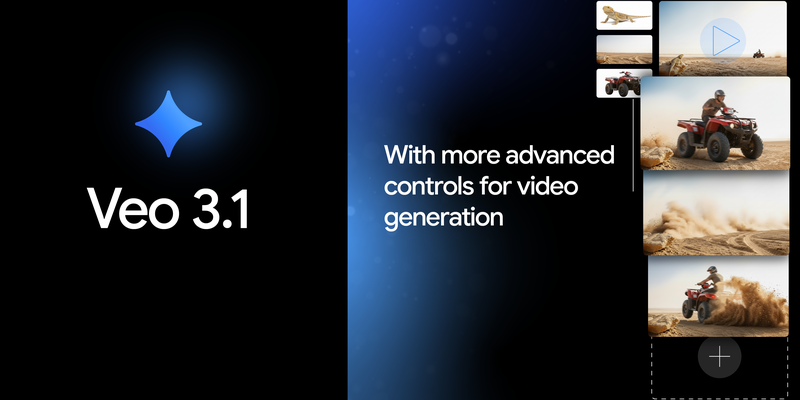
This review breaks down everything you need to know about Veo 3.1 in 2026: the features, the pricing, the competition, and who should actually be using it.
What Is Veo 3.1? A Quick Overview
Veo 3.1 is Google DeepMind’s flagship AI video generation model. It builds on Veo 3 (which first introduced native audio) and adds several professional-grade capabilities that set it apart from competitors .
Here are the core specifications at a glance :
| Specification | Details |
|---|---|
| Max Duration | 8 seconds (4s, 6s, or 8s tiers) |
| Resolution | Up to 4K (preview) / 1080p native |
| Frame Rate | 24fps (cinema standard) |
| Native Audio | Yes (dialogue, sound effects, ambient) |
| Input Types | Text + up to 2 reference images |
| Key Strengths | Cinematic quality, prompt adherence, brand safety |
| API Access | Full (Gemini API, Vertex AI, Google AI Studio) |
The model comes in three tiers:
- Veo 3.1 Standard: Highest quality, polished output for client-ready work
- Veo 3.1 Fast: Mid-tier option, balances speed and quality
- Veo 3.1 Lite: Budget tier launched March 2026, cuts costs by over 50%
Google is retiring both Veo 2 and Veo 3 by June 30, 2026, making Veo 3.1 the clear path forward for anyone building with Google’s video technology .
The Three Tier System: Standard, Fast, and Lite
Google’s tiered approach is one of Veo 3.1’s smartest features. Instead of a single “one size fits all” model, you choose based on your budget and quality requirements.
Veo 3.1 Standard: The Cinematographer
This is the flagship engine. It produces the highest quality output with the most accurate prompt adherence. Think of it as the “director’s cut” tier—you wait longer (several minutes per generation), but what comes out looks genuinely professional .
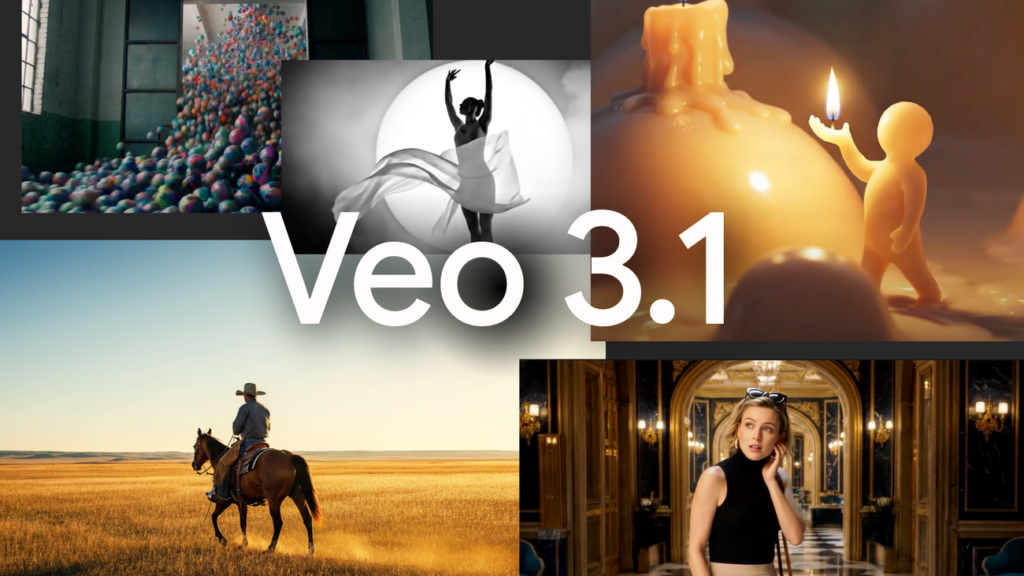
Best for: Commercial ads, brand videos, client presentations, anything that needs to impress.
Veo 3.1 Fast: The Prototyper
The mid-tier option balances speed and quality. Generations take 30-90 seconds, and while the output isn’t quite as polished as Standard, it’s more than sufficient for internal reviews, storyboarding, or rapid iteration .
Best for: Testing concepts, generating rough cuts, internal team reviews.
Veo 3.1 Lite: The Volume Player
Launched on March 31, 2026, Veo 3.1 Lite cuts API costs to less than half of the Fast tier . At just $0.05 per second for 720p with audio (or $0.03 per second for video only), this tier finally makes high-volume video generation financially viable for smaller creators and startups .
Best for: Social media content, A/B testing, educational videos, any workflow requiring scale.
The key insight? All three tiers produce the same fundamental quality of motion and prompt understanding. The differences are in render resolution, generation speed, and fine details. For most social media use cases, Lite is genuinely sufficient .
What Makes Veo 3.1 Different?
1. Cinematic Quality as a Default
Unlike competitors that chase “viral aesthetics” or hyper-realism, Veo 3.1 prioritizes something else: the look of film. The model outputs at true 24fps—the cinema standard—with natural color grading, professional depth of field, and realistic lighting transitions .
According to analysis from Leonardo.Ai, Veo 3.1 is the go-to choice for commercial advertising and product showcases precisely because its clean, sharp aesthetic holds up on larger screens. If you need a perfume bottle or a car to look flawless and consistent, Veo delivers .
2. Native Audio That Actually Works
Veo 3 built in the first generation of native audio. Veo 3.1 refined it. The model generates three audio layers simultaneously :
- Dialogue that matches on-screen lip movements
- Sound effects timed to frame-level action
- Ambient background audio appropriate to the scene
Independent testing confirms that Veo 3.1’s audio-visual sync is among the best available—though some reviewers note that Sora 2 had a slight edge in emotional nuance before its shutdown .
3. Strict Prompt Adherence
This is Veo 3.1’s secret weapon. Unlike some competitors that interpret prompts loosely (often resulting in beautiful but unpredictable output), Veo 3.1 sticks to what you actually asked for .
For commercial work—where a client has a specific vision and you need to execute it without endless regeneration loops—this is invaluable. One reviewer put it bluntly: “Veo 3.1 adheres so strictly to prompts that it’s excellent for storyboard-style content where you need the video to match a specific script without unexpected hallucinations” .
The Ingredients to Video System
Veo 3.1’s most powerful feature isn’t text-to-video. It’s “Ingredients to Video” —the ability to guide generation using reference images .
Here’s how it works:
You provide up to three reference images. These can be:
- A character image to maintain identity across shots
- A scene or background image to establish location
- A texture or object image to define specific visual elements
Combine these with a text prompt, and Veo 3.1 generates a video that respects all your references while adding motion, audio, and narrative flow .
Why this matters: In previous AI video models, generating multiple shots of the same character usually resulted in “face崩” (face collapse)—the character morphing between frames. Ingredients to Video solves this. Character identity remains stable across scenes. Objects and textures can be reused. The result is genuinely usable for narrative work .
Start and End Frame Generation
A related capability: you can now provide both a first frame and a last frame, and Veo 3.1 generates the transition between them with synchronized audio .
This is powerful for creating smooth, controlled scenes where the beginning and end are locked in. However, there’s a catch: if your start and end frames are visually very different (e.g., a sunny day transitioning to a stormy night), the model can struggle to bridge the gap smoothly .
Pro tip: For the most reliable results, stick to using a start frame only and let the model predict the ending. This often yields smoother, more natural motion .
Scene Extension
Need longer than 8 seconds? Veo 3.1 supports scene extension. Generate a clip, then extend it by generating new content based on the final second of the previous clip. This can create sequences lasting a minute or more while maintaining visual and audio continuity .
Vertical Video and 4K: The 2026 Updates
Two major updates landed in January 2026 that dramatically expanded Veo 3.1’s usefulness.
Native 9:16 Vertical Output
For the first time, Veo 3.1 can generate native vertical video (9:16 aspect ratio) directly—no cropping, no awkward reframing, no quality loss .
This matters because short-form platforms (TikTok, Instagram Reels, YouTube Shorts) now dominate the content landscape. Previous models forced creators to generate horizontal video and crop, often losing the intended composition. Veo 3.1’s vertical mode understands portrait framing from the start, keeping subjects centered and motion optimized for phone screens .
4K Resolution Support
Veo 3.1 now supports up to 4K output through advanced upscaling technology . This is currently in preview and available through Flow, Gemini API, and Vertex AI for enterprise users.
For most creators, 1080p remains sufficient. But for broadcast work, large-screen displays, or high-end commercial production, 4K support removes a major barrier to AI adoption.
Pricing Breakdown (April 2026)
Pricing changed significantly in March and April 2026. Here’s where things stand :
| Tier | Video Only (720p) | With Audio (720p) | With Audio (1080p) |
|---|---|---|---|
| Veo 3.1 Lite | $0.03/sec | $0.05/sec | Not available |
| Veo 3.1 Fast | $0.08/sec (from Apr 7) | $0.10/sec (from Apr 7) | $0.20/sec |
| Veo 3.1 Standard | $0.30/sec | $0.40/sec | $0.60/sec |
Context matters: Before these price cuts, even the Fast tier was out of reach for many independent creators. At $0.05 per second, a 15-second clip (two generations to account for iteration) costs about $1.50. That’s expensive for casual use but completely reasonable for professional production budgets.
By comparison, before its shutdown, Sora 2 was reportedly burning $15 million per day in compute costs and charged roughly double for comparable quality .
Chinese competitors like Kling offer cheaper options—some as low as $0.02 per second—but with trade-offs in consistency and audio quality .
Veo 3.1 vs The Competition
How does Veo 3.1 stack up against the other major models in 2026? Here’s the head-to-head comparison :
| Feature | Veo 3.1 | Kling 3.0 | Seedance 2.0 | Sora 2 (discontinued) |
|---|---|---|---|---|
| Max Duration | 8 seconds | 10 seconds | 15 seconds | 12 seconds |
| Max Resolution | 4K (preview) | 1080p | 1080p | 1080p |
| Native Audio | Yes | Yes | Yes | Yes |
| Reference Images | Up to 2 | Up to 2 | Up to 9 | 1 |
| Reference Videos | No | No | Up to 3 | No |
| Audio Inputs | No | No | Up to 3 | No |
| Primary Strength | Cinematic quality | Motion quality | Multimodal control | Physics accuracy |
| Pricing (lowest) | $0.03/sec | ~$0.02/sec | Varies | Was ~$0.10/sec |
The verdict from the comparison data:
- Choose Veo 3.1 if: You need broadcast-quality output, strict prompt adherence, or brand-safe commercial work.
- Choose Kling 3.0 if: You prioritize natural motion or are creating content with Asian subjects (where Kling is particularly strong) .
- Choose Seedance 2.0 if: You need complex multi-shot narratives or want to reference existing videos and audio in your generation .
Real-World Use Cases
Based on user reports and platform integrations, here’s where Veo 3.1 excels in practice:
Commercial Advertising
Veo 3.1 is the clear leader for product showcases and brand videos. The model’s clean aesthetic and strict prompt adherence mean you can generate a video of a specific product—with specific lighting, specific camera angles, and specific motion—and get something that matches the brief .
Storyboarding and Previsualization
Promise Studios, a GenAI movie studio, uses Veo 3.1 within its MUSE Platform for “director-driven storytelling at production quality” . For filmmakers, Veo 3.1 allows rapid visualization of shots before committing to expensive production.
Social Media Content (with caveats)
The addition of native vertical output makes Veo 3.1 far more useful for short-form platforms. However, the 8-second duration limit is restrictive. For TikTok or Reels, 8 seconds is often enough for a single hook or clip, but longer narratives require extension or stitching multiple generations together.
Enterprise and Corporate Video
Cosmic, a content management platform, integrated Veo 3.1 to let users generate product showcases, marketing videos, and social content directly within their dashboard . For businesses without in-house video teams, the ability to generate professional-looking content from text is transformative.
Limitations and Blindspots
No tool is perfect. Here’s what you need to know before committing to Veo 3.1:
Short Duration Cap
8 seconds is the maximum single generation. Kling 3.0 offers 10 seconds, and Seedance 2.0 offers 15 seconds . While scene extension allows longer sequences, it requires multiple generations and manual stitching.
The End Frame Trap
As noted earlier, using both a start and end frame can produce morphing artifacts if the two frames are visually distinct. Stick to start-frame-only for smoother results .
Polished Aesthetic Can Be a Limitation
Because Veo generates such clean, polished output, it can struggle with gritty, raw, or lo-fi aesthetics. For documentary-style content or anything intentionally rough, Sora 2 (before shutdown) or even older models sometimes produced more appropriate results .
No Video Reference Input
Unlike Seedance 2.0, Veo 3.1 cannot accept video clips as reference inputs. You can’t show it a camera movement and ask it to replicate that motion. This limits its usefulness for certain motion-design workflows .
Generation Speed
Even the Fast tier takes 30-90 seconds for an 8-second clip. For rapid iteration—testing dozens of variations to find the perfect take—this adds up. Some competitors offer faster generation at lower quality tiers .
Who Should Use Veo 3.1?
| User Type | Verdict | Why |
|---|---|---|
| Commercial video producers | Strong yes | Broadcast quality + brand safety + prompt adherence |
| Marketing agencies | Yes | Perfect for product showcases and social ads |
| Filmmakers (pre-vis) | Yes | Rapid storyboarding at production quality |
| Enterprise teams | Yes | Google’s API is reliable and well-documented |
| Social media creators | Maybe | 8-second limit is restrictive; Kling offers longer clips |
| Casual/hobbyist users | Probably not | Pricing, even at Lite tier, adds up quickly |
| Anyone needing >10s clips | No | Look at Seedance 2.0 or Kling 3.0 instead |
| Anyone needing video reference | No | Seedance 2.0 is the only multimodal option |
The Bottom Line: Is Veo 3.1 Worth It?
Veo 3.1 is not trying to be the cheapest model. It’s not trying to be the longest. It’s not chasing viral internet memes.
What Veo 3.1 does—and does better than anyone else—is professional-grade video generation with the consistency and reliability that commercial work demands .
The addition of the Lite tier changes the value proposition dramatically. At $0.03 per second for 720p video (or $0.05 with audio), the barrier to entry has dropped from “enterprise only” to “serious creator” territory . For a 6-second Instagram Reel, you’re looking at $0.30. That’s reasonable for a tool that delivers broadcast-quality output.
If you’re a solo creator on a tight budget, Kling or CapCut’s free tier might be better options. But if you’re producing work that needs to look genuinely professional—client work, brand content, commercial advertising—Veo 3.1 is currently the best tool for the job.
The gap between Veo 3.1 and its competitors is narrowing. But for now, Google’s bet on cinematic quality and strict prompt adherence has paid off. Veo 3.1 isn’t just an AI video generator. It’s a production tool.
Frequently Asked Questions (FAQ)
Q: What is the difference between Veo 3.1, Veo 3, and Veo 2?
A: Veo 2 generates silent video only. Veo 3 added native audio (dialogue, sound effects, ambient). Veo 3.1 adds 4K support (preview), vertical video, reference images, start-and-end-frame generation, and three pricing tiers. Google is retiring Veo 2 and Veo 3 on June 30, 2026 .
Q: How much does Veo 3.1 cost?
A: Pricing starts at $0.03 per second for Veo 3.1 Lite (720p, video only) and goes up to $0.60 per second for Veo 3.1 Standard (4K with audio) . Fast tier prices dropped on April 7, 2026 .
Q: Does Veo 3.1 support vertical video?
A: Yes. As of January 2026, Veo 3.1 supports native 9:16 vertical output through the Ingredients to Video feature .
Q: Does Veo 3.1 generate audio?
A: Yes. All Veo 3.1 tiers generate native audio including dialogue, sound effects, and ambient background sound .
Q: Is Veo 3.1 free?
A: No. Veo 3.1 is a paid service through the Gemini API, Google AI Studio, and Vertex AI. Pricing is per-second with three tiers available .
Q: How long can Veo 3.1 videos be?
A: Single generations can be 4, 6, or 8 seconds. Scene extension allows creating longer sequences (up to a minute or more) by chaining multiple generations .
Q: What is the best AI video model for commercial work?
A: Veo 3.1 is widely considered the best for commercial advertising and product showcases due to its clean aesthetic, strict prompt adherence, and brand safety .
Q: Is Veo 3.1 better than Kling 3.0?
A: It depends on your needs. Veo 3.1 excels at cinematic quality and prompt adherence. Kling 3.0 offers longer durations (10-15 seconds) and is particularly strong with natural motion and Asian subjects .