Exploring Open Source Llama 4: How to Host Your Own Private AI Model
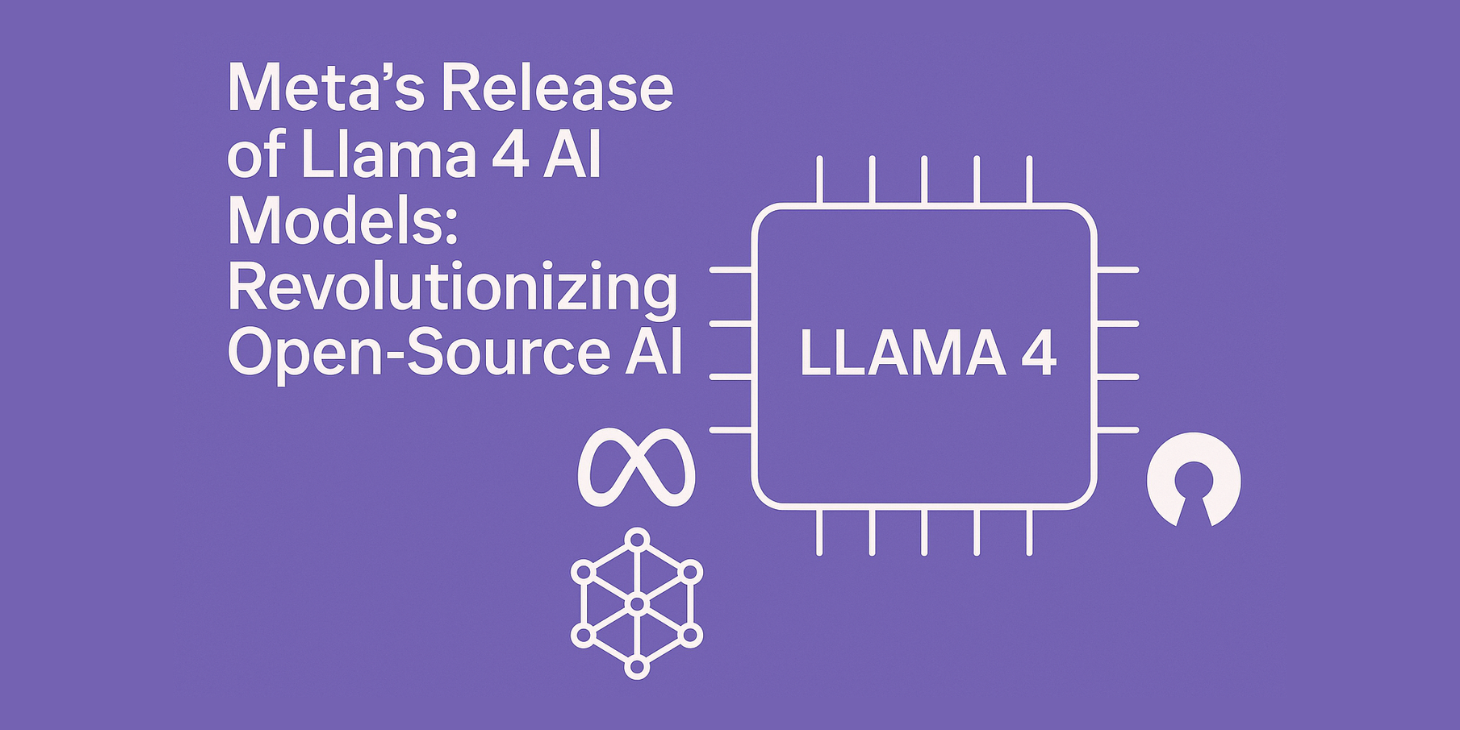
Exploring Open Source Llama 4: How to Host Your Own Private AI Model, In an era where data privacy concerns dominate boardroom discussions and AI usage policies, the ability to run a state-of-the-art language model entirely on your own infrastructure has never been more compelling. Meta’s Llama 4 family, released in April 2025, represents a watershed moment for open-source AI, offering enterprise-grade capabilities that you can deploy privately without sending sensitive data to third-party APIs .
This guide provides a comprehensive walkthrough of Llama 4’s architecture, hardware requirements, and deployment strategies—from powerful multi-GPU workstations to consumer-grade setups. Whether you’re a privacy-conscious developer, an enterprise architect, or an AI enthusiast, you’ll find practical guidance for hosting your own private Llama 4 instance in 2026.
Why Llama 4 Matters for Private AI
Meta’s Llama 4 family marks a significant evolution from its predecessors. For the first time, open-weight models deliver truly competitive performance against closed commercial alternatives while maintaining complete transparency and deployability .
The Open-Source Advantage
Running your own Llama 4 instance offers several compelling benefits:
Complete Data Privacy: Your prompts, documents, and proprietary information never leave your infrastructure. For healthcare, finance, legal, and government applications, this eliminates the most uncomfortable compliance question: “Where does the data go?”
No Rate Limits or Usage Caps: Once deployed, you control your throughput. No per-token charges, no throttling, no unexpected API bills.
Full Customization: Fine-tune on proprietary datasets, adjust inference parameters, and build domain-specific assistants without vendor restrictions .
Offline Operation: Deploy in air-gapped environments or locations with unreliable internet connectivity.
The Llama 4 Family: Scout vs. Maverick
Llama 4 introduces two primary models, each optimized for different use cases :
| Feature | Llama 4 Scout | Llama 4 Maverick |
|---|---|---|
| Architecture | MoE with 16 experts | MoE with 128 experts |
| Total Parameters | 109 billion | 400 billion |
| Active Parameters | 17 billion | 17 billion |
| Context Length | 10 million tokens | 1 million tokens |
| Multimodal Support | Text + Images | Text + Images + Video/Audio |
| Primary Use Case | Long-context reasoning | General-purpose assistant |
Scout’s massive 10-million-token context window is its killer feature—you can feed entire codebases, regulatory filings, or scientific archives into a single session without chunking or fine-tuning . Maverick trades context length for raw capability, with 128 experts providing superior general-purpose performance while maintaining the same 17B active parameter footprint.
⚠️ Important Note on Llama 4’s Status: While Llama 4 represents a significant technical achievement, its release was not without controversy. The models faced criticism regarding benchmark performance discrepancies, and Meta has since undergone significant organizational restructuring, including a shift toward developing closed-source models like “Avocado” . However, the existing Llama 4 weights remain available and functional for self-hosting.
Hardware Requirements: What You’ll Need
The hardware requirements for running Llama 4 vary dramatically depending on which model you choose and what quantization level you’re willing to accept.
Understanding MoE Architecture and Memory Requirements
Llama 4 uses a Mixture-of-Experts (MoE) architecture, which fundamentally changes how memory is utilized. Only 17 billion parameters are active for any given token, but the entire model (all 109B or 400B parameters) must be loaded into memory . This creates a situation where inference is relatively efficient, but the initial memory footprint is substantial.
Quantization is your primary tool for reducing memory requirements. Lower precision (4-bit vs. 16-bit) reduces memory by approximately 75% with acceptable quality loss. The industry standard—Q4_K_M—retains about 95% of original performance while shrinking memory requirements dramatically .
Llama 4 Scout Hardware Requirements
Scout is the more accessible option for self-hosting, particularly for those with high-end consumer or prosumer hardware .
Apple Silicon (MLX) Requirements:
| Quantization | Unified Memory Needed | Recommended Systems |
|---|---|---|
| 3-bit | 48 GB | M4 Pro, M1/M2/M3/M4 Max, M1/M2/M3 Ultra |
| 4-bit | 61 GB | M2/M3/M4 Max, M1/M2/M3 Ultra |
| 6-bit | 88 GB | M2/M3/M4 Max, M1/M2/M3 Ultra |
| 8-bit | 115 GB | M4 Max, M1/M2/M3 Ultra |
| FP16 | 216 GB | M3 Ultra |
PC/Server (GGUF) Requirements:
| Quantization | RAM/VRAM Needed | Recommended Systems |
|---|---|---|
| Q3_K_M | 55 GB | 3×24GB GPUs (e.g., 3090s), 2×RTX 5090, 64GB RAM |
| Q4_K_M | 68 GB | RTX PRO 6000, 3×24GB GPUs, 96GB RAM |
| Q6_K | 90 GB | 3×RTX 5090, 128GB RAM |
| Q8_0 | 114 GB | 2×RTX PRO 6000, 4×32GB GPUs, 128GB RAM |
Minimum Viable Setup: A single RTX 4090 (24GB) cannot run Scout alone. However, with careful quantization (Q2_K_H at 42.8GB) and a combination of CPU offloading, it becomes possible on a system with 64GB of RAM and a single GPU handling some layers .
Llama 4 Maverick Hardware Requirements
Maverick is substantially more demanding due to its 128-expert architecture. This is firmly in enterprise territory.
Apple Silicon (MLX) Requirements:
| Quantization | Unified Memory Needed |
|---|---|
| 4-bit | 226 GB |
| 6-bit | 326 GB |
PC/Server (GGUF) Requirements:
| Quantization | RAM/VRAM Needed | Recommended Systems |
|---|---|---|
| Q3_K_M | 192 GB | 3×96GB RTX PRO 6000, 7×32GB GPUs, 256GB RAM server |
| Q4_K_M | 245 GB | 8×32GB GPUs, 320GB RAM, dual CPU workstation |
| Q6_K | 329 GB | 4×96GB RTX PRO 6000, 384GB RAM |
| Q8_0 | 400 GB | 512GB RAM server |
Real Talk: Maverick requires enterprise-grade infrastructure. For most self-hosting scenarios, Scout is the practical choice .
Consumer-Friendly Quantizations: The Q2_K_H Option
The open-source community has developed specialized quantizations that make Scout viable on more accessible hardware. The Q2_K_H (42.8GB) and Q3_K_H (46.6GB) variants offer solid quality with significantly reduced memory footprints .
A good setup for a prosumer rig:
- CPU: Recent high-core-count processor (AMD Threadripper or Intel Xeon)
- RAM: 64-96GB DDR5
- GPU: 1×RTX 4090 or 2×RTX 3090
- Storage: Fast NVMe SSD for model loading
This configuration can run the Q2_K_H or Q3_K_H quant of Scout with acceptable performance .
Deployment Options: From One-Click to Production
Llama 4 supports multiple deployment paths depending on your technical comfort level and requirements.
Option 1: Ollama (Easiest for Testing)
Ollama is the simplest way to get Llama 4 running locally, with support for macOS, Windows, and Linux .
Installation:
# Install Ollama
curl -fsSL https://ollama.com/install.sh | sh

# Pull and run Scout (quantized, ~12GB VRAM with proper offloading)
ollama run llama4-scout

# For long context (uses more VRAM)
ollama run llama4-scout --ctx-size 32768
Using as an API Server:
# Start server in background
ollama serve &

# Query via OpenAI-compatible API
curl http://localhost:11434/v1/chat/completions \
  -H "Content-Type: application/json" \
  -d '{
    "model": "llama4-scout",
    "messages": [{"role": "user", "content": "Explain mixture-of-experts architecture in three sentences"}]
  }'
Pros: Extremely simple, cross-platform, handles quantization automatically.
Cons: Less control over optimization parameters, limited to Ollama’s model library.
Option 2: vLLM (Production-Ready)
vLLM is the standard for high-performance inference, supporting tensor parallelism for multi-GPU setups .
Installation:
# Install vLLM
pip install vllm
Single GPU (with quantization):
vllm serve meta-llama/Llama-4-Scout-17B-16E-Instruct \
  --max-model-len 32768 \
  --gpu-memory-utilization 0.90 \
  --quantization fp8
Multi-GPU Setup:
# Scout on 2 GPUs
vllm serve meta-llama/Llama-4-Scout-17B-16E-Instruct \
  --tensor-parallel-size 2 \
  --max-model-len 128000 \
  --gpu-memory-utilization 0.90

# Maverick on 4 GPUs (requires enterprise hardware)
vllm serve meta-llama/Llama-4-Maverick-17B-128E-Instruct \
  --tensor-parallel-size 4 \
  --max-model-len 65536
Querying vLLM:
from openai import OpenAI

client = OpenAI(base_url="http://localhost:8000/v1", api_key="dummy")

response = client.chat.completions.create(
    model="meta-llama/Llama-4-Scout-17B-16E-Instruct",
    messages=[
        {"role": "system", "content": "You are a helpful assistant."},
        {"role": "user", "content": "Write a Python function to generate Fibonacci numbers"}
    ],
    temperature=0.7,
    max_tokens=1024
)
print(response.choices[0].message.content)
Pros: High performance, multi-GPU support, OpenAI-compatible API, production-ready.
Cons: Requires significant VRAM, more complex setup.
Option 3: llama.cpp (CPU-Only or Hybrid)
llama.cpp enables running Llama 4 on CPU or with partial GPU offloading, making it the best option for systems without high-VRAM GPUs .
Building from Source:
git clone https://github.com/ggerganov/llama.cpp
cd llama.cpp
make -j
Converting to GGUF format:
python3 convert.py /path/to/llama-4-scout --outfile llama-4-scout.gguf --outtype q4_k_mRunning on CPU:
./main -m llama-4-scout.gguf -p "Explain quantum computing" -n 256Hybrid CPU+GPU Offloading (Optimized for Scout):
For systems with limited VRAM, you can offload specific layers to GPU:
./main -m llama-4-scout.Q4_K_H.gguf \
  --n-gpu-layers 20 \
  -ot exps=CPU \
  -p "Your prompt here"
The -ot exps=CPU flag offloads the non-shared expert FFN tensors to CPU, which is crucial for running Scout on consumer hardware .
Pros: Works on CPU, supports quantization, hybrid offloading.
Cons: Slower than GPU-native solutions, more complex to set up.
Option 4: Hugging Face Transformers (Full Control)
For researchers and developers who need maximum flexibility :
import torch
from transformers import AutoModelForCausalLM, AutoTokenizer

model_name = "meta-llama/Llama-4-Scout-17B-16E-Instruct"

tokenizer = AutoTokenizer.from_pretrained(model_name)
model = AutoModelForCausalLM.from_pretrained(
    model_name,
    torch_dtype=torch.bfloat16,
    device_map="auto",
    load_in_4bit=True  # 4-bit quantization for 24GB GPUs
)

messages = [{"role": "user", "content": "Explain MoE architecture"}]
input_ids = tokenizer.apply_chat_template(messages, return_tensors="pt").to(model.device)
output = model.generate(input_ids, max_new_tokens=2048, temperature=0.7)
print(tokenizer.decode(output[0], skip_special_tokens=True))
Pros: Full control, access to all model features, integrates with Hugging Face ecosystem.
Cons: Steeper learning curve, requires more manual optimization.
Getting the Model Weights
Unlike fully open models, Llama 4 requires a permission process to access weights .
Step 1: Request Access from Meta
- Visit Meta’s Llama 4 website and click “Request Access”
- Complete the form with your intended use case and organization information
- Use a legitimate email address (corporate addresses are approved faster)
- Wait for approval (hours to days)
Step 2: Access via Hugging Face
Once approved:
- Log into Hugging Face
- Navigate to
meta-llama/Llama-4-Scout-17B-16E-Instruct - Click “Access repository”
- Agree to the license terms
- Clone the repository using
git lfs
Step 3: Download Quantized Versions
For the community-developed quantizations (GGUF format), download directly from Hugging Face:
https://huggingface.co/steampunque/Llama-4-Scout-17B-16E-Instruct-Hybrid-GGUFAvailable quantizations include Q2_K_H (42.8GB), Q3_K_H (46.6GB), and Q4_K_H (50.4GB) .
Multimodal Capabilities
Llama 4 Scout supports native multimodal understanding—it can process both text and images in a unified architecture .
Vision Mode Setup (llama.cpp):
As of version b5423, llama.cpp supports vision capability for Llama 4. You’ll need the multimodal projector file:
# Download the mmproj file alongside your model
# Available at the same Hugging Face repository
Testing Vision:
./llama-4-scout -m llama-4-scout.Q4_K_H.gguf \
  --mmproj llama-4-scout.mmproj \
  --image your-image.jpg \
  -p "Describe this image in detail"
Performance Notes: The model can process up to 5 input images simultaneously and achieves strong results on visual benchmarks: 91.6 ANLS on DocVQA and 85.3% accuracy on ChartQA .
Optimization Tips and Troubleshooting
Memory Optimization
For Scout on limited hardware:
# In vLLM, limit context length
vllm serve meta-llama/Llama-4-Scout-17B-16E-Instruct \
  --max-model-len 32768  # Reduce from 10M default

# Use FP8 quantization
--quantization fp8

# Limit concurrent requests
--max-num-seqs 2
For llama.cpp hybrid mode:
# Offload expert FFNs to CPU
-ot exps=CPU

# Use smaller batch size for prompt processing
-ubatch 16

# Disable flash attention if experiencing precision issues (see known bug below)
--no-flash-attn
Known Issues
Flash Attention Precision Bug: As of llama.cpp version b5237 and above, a change to flash attention code can generate precision loss of 1-3 bits, causing degraded performance. If you experience quality issues, disable flash attention: --no-flash-attn .
VRAM Limitations: The NVIDIA NIM documentation notes that Scout requires approximately 250GB of GPU memory at BF16 precision for full context length. Reducing context length is the most effective mitigation .
Conclusion: Is Self-Hosting Llama 4 Right for You?
Llama 4 represents a genuine breakthrough for private AI deployment. For the first time, organizations can run models that genuinely compete with GPT-4 and Claude—on their own infrastructure, with their own data, without external dependencies.
Choose Llama 4 Scout if:
- You need to analyze extremely long documents (10M token context)
- You have access to high-end prosumer hardware (64GB+ RAM, 2+ GPUs)
- Privacy is non-negotiable
- You’re willing to work with quantization and optimization
Choose Llama 4 Maverick if:
- You need maximum model capability
- You have enterprise-grade infrastructure (multi-GPU, 256GB+ RAM)
- You’re deploying for production workloads
Consider alternatives if:
- You’re running on consumer hardware (single 24GB GPU)—look at smaller models like Llama 3.1 8B
- You need a fully supported, SLA-backed solution—stick with commercial APIs
- You’re just experimenting—start with Ollama and quantized Scout
The open-source AI landscape is evolving rapidly. Llama 4’s release demonstrated that state-of-the-art capabilities can be achieved with open weights, even as Meta pivots toward closed models for future releases. For now, the Llama 4 weights remain available—a powerful tool for anyone serious about private, self-hosted AI.