Automating B2B Lead Generation Using LinkedIn and AI Outreach Tools
Automating B2B Lead Generation Using LinkedIn and AI Outreach Tools in 2026, The rules of B2B lead generation have changed. In 2026, the days of manually scrolling through LinkedIn, copying profile URLs into spreadsheets, and sending generic connection requests are over. Buyers are inundated with generic pitches. Standing out requires timely, relevant, and genuinely personalized outreach—delivered at scale .
This is where AI-powered LinkedIn lead generation comes in. By combining LinkedIn Sales Navigator’s precision targeting with AI outreach tools, B2B teams can automate research, personalize first messages, and execute consistent follow-ups without burning hours. The result? More warm replies, higher pipeline velocity, and a predictable, compounding lead generation engine .
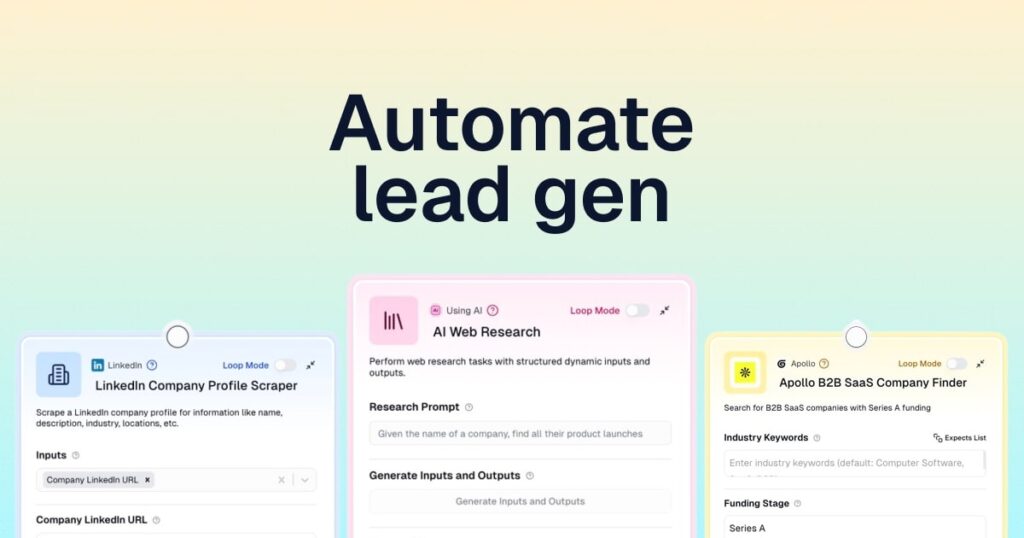
This guide walks you through the complete system—from defining your Ideal Customer Profile (ICP) to selecting the right AI tools and executing multi-channel campaigns that convert.
Why AI on LinkedIn Is Non-Negotiable in 2026
LinkedIn remains the premier platform for B2B prospecting, but using it effectively has become increasingly complex. Attention is scarce. Decision-makers are protective of their time. Generic, copy-paste outreach no longer works .
AI addresses these challenges by compressing research time, detecting intent signals in real-time, and drafting context-aware openers that land more replies. Teams that leverage AI can handle three times more prospects without sacrificing quality. The competitive baseline has shifted—competitors are already enriching profiles automatically, personalizing at scale, and triggering follow-ups off live activity .
| Manual Approach | AI-Powered Approach |
|---|---|
| Hours of profile research | Automated enrichment in seconds |
| Generic templates | Context-aware personalized openers |
| Missed buying signals | Real-time intent detection |
| Inconsistent follow-up | Automated, event-triggered sequences |
| Scattered data | Centralized CRM with unified timelines |
The question is no longer whether to use AI for LinkedIn lead generation, but which tools and workflows will deliver the best results for your business .

The Foundation: LinkedIn Sales Navigator
Before deploying AI outreach tools, you need a reliable system for finding the right prospects. LinkedIn Sales Navigator remains the gold standard for B2B prospecting in 2026, offering over 10 million profiles and 50+ search filters to precisely target your Ideal Customer Profile (ICP) .
Defining Your ICP and Personas
Generic targeting dilutes results; precision compounds them. Before launching any search, establish a detailed ICP with both firmographic and behavioral criteria :
Company Characteristics:
- Industry and sub-industry
- Company size (employee count, revenue range)
- Growth stage and funding status
- Geographic location
- Technology stack
Buyer Personas:
- Seniority level (C-level, VP, Director)
- Years in role and recent transitions
- Pain points and priorities
- Decision-making authority
Trigger Events (Signals of Buying Readiness):
- Recent funding or headcount growth
- New product launches or technology migrations
- Job changes (leaders entering new roles)
- Active posting on LinkedIn
Advanced Search Strategies
LinkedIn Sales Navigator provides 50+ search filters, but the key is combination strategy. Use 2-3 high-signal filters rather than stacking 7-8 weak ones .
High-Signal Filter Combinations:
| Goal | Filter Combination |
|---|---|
| Active decision-makers | Seniority (Director/VP/C-level) + Posted on LinkedIn in last 30 days |
| Transitioning leaders | Changed jobs in last 90 days + Company size + Industry |
| Stable prospects | Location + Function + Years in current position |
Pro Tip: Avoid the “Industry” lead filter—it relies on self-reported user data and is often inaccurate. Instead, use “Account Search” to filter by company industry first, then drill into individual decision-makers .
Boolean Search for Precision Targeting
Boolean search is your power tool for finding exact profile combinations that keyword filtering alone cannot surface .
Boolean Operators:
| Operator | Function | Example |
|---|---|---|
| AND | All terms must appear | “VP of Sales” AND B2B AND SaaS |
| OR | Any term can appear | CEO OR Founder OR “Co-Founder” |
| NOT | Exclude terms | “Head of Marketing” NOT Agency |
| Parentheses () | Group terms for complex logic | (“VP of Growth” OR “Head of Demand Gen”) AND (B2B OR SaaS) |
| Quotes “” | Exact phrase match | “Account Based Marketing” |
Practical Example for Targeting Marketing Leaders:(Marketing AND (Growth OR Demand OR Revenue)) AND (startup OR SaaS) NOT (agency OR consultant)
Spotlight Filters: Identifying Warm Leads
Spotlight filters surface prospects actively engaging on LinkedIn—a strong intent signal. When building lead lists, always filter for at least one Spotlight signal. Job changers and recent posters convert 3-4 times faster than dormant profiles .
Key Spotlight Filters:
- Posted on LinkedIn in last 30 days: Active users, more likely to see and respond
- Changed jobs in last 90 days: Transition creates budget authority and new initiatives
- Follows your company: Already aware of your brand; natural warmth in outreach
- Shared activity: When teammates engage with shared lead lists
Saved Searches and Lead Lists
Static searches become outdated. Saved searches continuously surface fresh prospects matching your criteria .
Setup Process:
- Build a high-performing search with your ideal filters
- Click “Save this search” and name it clearly (e.g., “HR Leaders – India – Growth Stage”)
- LinkedIn notifies you weekly when new prospects match your saved criteria
- Review new matches in your “Alerts” tab weekly
Lead List Segmentation:
Create lists by funnel stage to organize your pipeline :
- Cold List: Initial prospects awaiting first contact
- Engaged List: Those who accepted connections or replied
- Meeting Booked: Qualified opportunities in active conversation
- Do Not Target: Current clients, closed-lost, competitors
The AI Outreach Tool Stack
Once you have a targeted lead list, AI outreach tools handle the heavy lifting of personalization, automation, and follow-up. Here are the leading platforms in 2026.
All-in-One CRM with LinkedIn Integration
folk CRM
folk is an AI-first CRM built specifically for LinkedIn workflows. It captures LinkedIn profiles in one click, automatically enriches contacts, and drafts context-aware openers and follow-ups that sound human. All LinkedIn, email, and WhatsApp touchpoints are centralized on a single timeline, allowing teams to move faster from profile view to qualified meeting without copy-paste hops .
Best for: Mid-size sales teams (20-50 people) needing streamlined workflows.
Pricing: 14-day free trial; starts at $20 per member/month.
Lead Research and Enrichment
Clay
Clay is a lead research and enrichment platform that teams pair with LinkedIn to ship highly targeted, AI-personalized outreach. Build dynamic lists from dozens of data sources, enrich with company and person signals, and generate context-aware openers that reference posts, role changes, and tech stacks. Claygent, Clay’s AI agent, researches prospects and drafts openers at scale .
Best for: Ops-savvy teams that want precision over spray-and-pray.
Pricing: Free plan available; paid starts at $134/month (annual billing).
Combined Database and Outreach
Apollo
Apollo combines a massive B2B contact database with multichannel outreach and AI-assisted personalization. Pair Sales Navigator searches with Apollo enrichment, verify emails, then generate concise openers that reference role changes, tech stack, or recent activity. Strong filters and scoring help focus on accounts with real intent .
Best for: Mid-market teams wanting an all-in-one prospecting solution.
Pricing: Free plan available; paid starts around $49 per user/month.
LinkedIn-First Automation
Expandi
Expandi is a cloud-based LinkedIn outreach platform that layers AI personalization on top of safe daily limits. Build smart sequences that react to events (new post, connection accepted), generate short openers at scale, and track every step in a unified inbox. Designed for teams that want predictable LinkedIn volume without risking account health .
Best for: Teams prioritizing safety and deliverability.
Pricing: Free trial; paid starts around $99 per user/month.
Waalaxy
Waalaxy is a LinkedIn-first automation platform with AI assistance (“Waami”) for prospecting and message drafting. Build multi-step campaigns (visit, follow, connect, message), trigger follow-ups from engagement, and keep lists clean with deduplication and basic enrichment .
Best for: Teams focused primarily on LinkedIn automation.
Pricing: Multiple tiers based on volume and features.
Multichannel Outreach
lemlist
lemlist combines email and LinkedIn workflows with AI-powered personalization. Build targeted sequences, generate context-aware openers, and nudge prospects across channels without breaking daily safety limits. Visual routing, warm-up options, and an intuitive editor make it approachable for small teams .
Best for: Small teams wanting multichannel capabilities with clean UX.
Pricing: 14-day free trial; starts around $55 per seat/month.
La Growth Machine (LGM)
LGM automates LinkedIn and email flows with AI-assisted personalization. It adds extras like AI-powered voice messages to stand out in crowded inboxes. Built for teams that want scale without losing human tone .
Best for: Teams wanting LinkedIn, email, and Twitter in one platform.
Pricing: 14-day free trial; €50 to €150+ per user/month.
Content and Inbound
MagicPost
MagicPost is an AI-first LinkedIn content platform that turns topics or URLs into LinkedIn-ready posts with hooks, structure, and formatting. It also includes a built-in scheduler so your profile keeps attracting inbound leads while you focus on conversations .
Best for: Creators, founders, and small teams relying on content for inbound.
Pricing: Free trial; paid starts around $27/month.
The Complete AI-Powered Workflow
Successful B2B lead generation isn’t about using a single tool—it’s about orchestrating a system. Here’s how top-performing teams combine these tools into a repeatable workflow.
Step 1: Prospect Targeting (Sales Navigator)
Start by building your prospect list in Sales Navigator using the advanced search strategies outlined above. Save your best searches and set up alerts for new matches. Export leads using a tool like SalesRobot to get complete contact details (email, phone, profile URL) as a CSV .
Pro Tip: Copy the URL of your saved Sales Navigator list and paste it into your outreach tool to automatically import prospects with all their data .
Step 2: Data Enrichment and Research (Clay)
Before reaching out, enrich your prospect data. Use Clay to pull in additional signals: recent posts, job changes, company news, tech stack, and intent data. Claygent can research each prospect and generate personalized icebreakers based on their actual activity .
Example Enrichment: “For each prospect, find their most recent LinkedIn post and draft a comment that adds value, not just praise.”
Step 3: Lead Scoring and Segmentation
Not all leads are equal. Use AI to score and segment your prospects based on fit and intent .
Segmentation Example (from ColdIQ’s workflow):
- Tier 1: Ideal ICP + recent job change + active posting → Priority outreach
- Tier 2: Ideal ICP + some engagement → Standard sequence
- Tier 3: Secondary ICP or limited signals → Nurture content only
Step 4: Personalized Connection Requests
Use your outreach tool to send personalized connection requests. The key is avoiding generic templates.
AI-Generated Personalization Example:
Instead of: “Hi [Name], I’d like to connect.”
Use: “Hi [Name], saw your post about [topic]—great perspective. I work with B2B SaaS leaders on [solution]. Would be great to connect.”
Step 5: Event-Based Follow-Up Sequences
Set up sequences that react to prospect behavior :
- If connection accepted → Send a value-first message (no pitch)
- If no response after 3 days → Send a gentle follow-up mentioning a relevant insight
- If prospect posts new content → Trigger a comment or message referencing the post
Step 6: Multi-Channel Orchestration
Don’t rely solely on LinkedIn. Combine channels for higher reply rates :
| Channel | Best Practice |
|---|---|
| Connection requests, InMail (within daily limits), post engagement | |
| After connection accepted; focus on value, not pitch | |
| Phone Calls | For high-value prospects; use with “presumed consent” in compliant regions |
| Direct Mail (Letters) | GDPR-compliant alternative; Venta AI reports 2x reply rates vs. email |
Step 7: Unified CRM and Timeline
Centralize all activity in a CRM like folk to maintain context across channels. Every email, LinkedIn message, WhatsApp conversation, and call is logged on the same record, so your team never misses context .
Compliance and Safety Considerations
As AI outreach scales, compliance becomes critical. The legal landscape varies significantly by region.
EU Regulations
In most European countries, cold emailing without explicit opt-in is prohibited. Sending unsolicited commercial emails can result in cease and desist letters, fines, or even severe GDPR violations with penalties reaching millions .
Compliant Channels in the EU:
- LinkedIn messages: Allowed if a connection request is accepted first
- Phone calls: Allowed with “presumed consent”
- Direct mail (letters): Always allowed and infinitely scalable
Venta AI launched in 2026 specifically to address this compliance gap, offering multi-channel outreach via email, LinkedIn, and letters while remaining compliant in each country. Letters include personalized QR codes to bridge the gap from analog to digital, with instant Slack notifications when recipients scan them .
Account Safety on LinkedIn
LinkedIn monitors activity patterns and may restrict accounts that exceed reasonable limits. To maintain account health:
- Stay within LinkedIn’s daily limits (typically 50-100 connection requests and InMails)
- Use tools with safety-first automation (randomized timing, warm-up periods)
- Avoid aggressive or spammy messaging
- Personalize every outreach—mass templates trigger spam flags
Measuring Success: Key Metrics
Track these metrics to evaluate and optimize your AI-powered lead generation:
| Metric | What It Measures | Target |
|---|---|---|
| Connection acceptance rate | Quality of targeting and personalization | 20-40% |
| Reply rate | Relevance of message and timing | 2-5% (email), 4-10% (LinkedIn) |
| Meeting booked rate | Ultimate conversion to qualified opportunity | 1-3% of total outreach |
| Time from connection to meeting | Efficiency of follow-up sequence | 5-10 days |
| Cost per meeting | ROI of tool stack and effort | Varies by industry |
A real-world example: ColdIQ used a combination of content, LinkedIn Ads, AI scoring, and multichannel outreach to book 1,500+ meetings in 2025, growing to nearly $7 million ARR .
Conclusion: From Manual Grind to Performance System
AI has transformed LinkedIn from a manual grind into a performance system. The tools available in 2026 compress research time, detect intent signals in real-time, and draft natural, context-aware openers that land more replies. Teams that embrace this stack can handle significantly more prospects without sacrificing quality.
The competitive baseline has shifted. Your competitors are already enriching profiles automatically, personalizing at scale, and triggering follow-ups off live activity. Competing without the right AI stack means slower timing and weaker relevance .
Start by defining your ICP with precision. Build your prospect lists in Sales Navigator. Enrich and score with Clay. Execute personalized, event-triggered sequences with Expandi, lemlist, or LGM. Centralize everything in a CRM like folk. Stay compliant with regional regulations. And continuously measure and optimize.
The system works. The tools are available. The only question is whether you’ll build it before your competitors do.