Canva AI 2.0: Design as a Conversation — Your Complete Workflow Guide
Canva AI 2.0: Remember the old creative workflow? You’d write a brief in one app, search for images in another, design in a third, resize for different platforms in a fourth, and then manually schedule everything. By the time you finished, you’d touched half a dozen tools and lost your original idea somewhere along the way.
Canva just flipped that model entirely.
With the launch of Canva AI 2.0 in April 2026, the platform has transformed from a design tool into a conversational, agentic platform where ideas — not templates — are the starting point . Here’s what every creative professional needs to know about the new AI workflow.
1. What Is Canva AI 2.0? Redefining the Starting Line
Canva AI 2.0 represents the company’s most significant product evolution since launching in 2013 . The core shift is simple but profound: you no longer start with a blank page or a template.
Instead, you start with an idea, a goal, a rough sketch, or even an unfinished thought — and work through it in conversation with Canva AI .
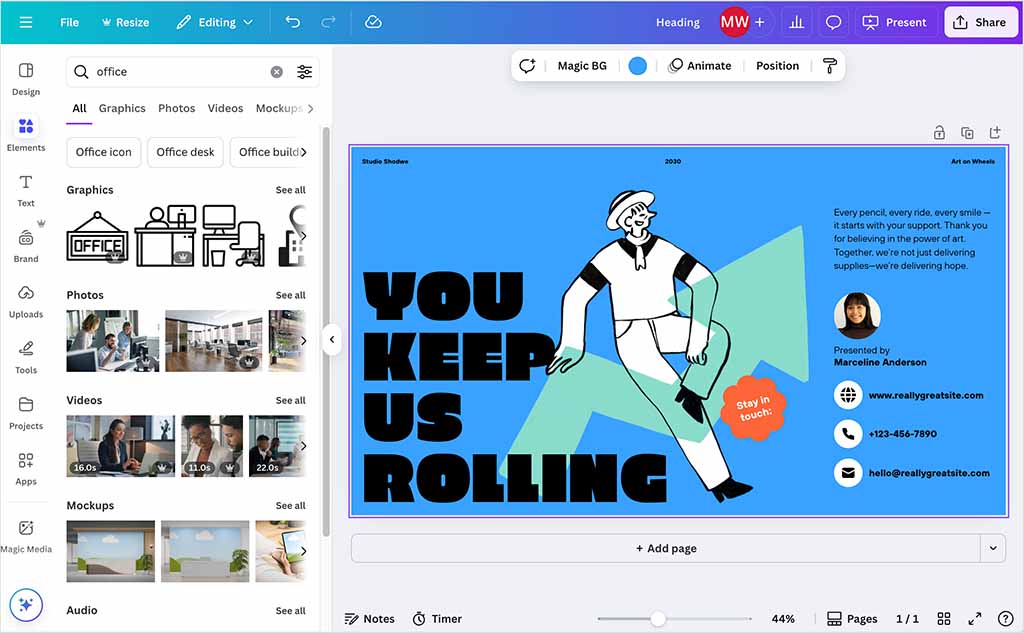
Powered by the Canva Design Model — the world’s first foundation model built to understand the structure, hierarchy, and complexity of real-world design — Canva AI 2.0 generates fully layered, editable output from a single prompt . Every element remains fully editable, so you can jump in, collaborate, refine, and iterate as your ideas evolve.
Availability note: Canva AI 2.0 launched as a research preview for the first one million users who find it on the Canva homepage, with broader rollout following in the coming weeks .
2. The Four Pillars of the New AI Workflow
Four key capabilities make the new workflow possible .
Conversational Design
Creation now starts with a conversation. Describe an idea, a goal, or a rough structure, and Canva AI generates a fully editable design with layout, hierarchy, and brand applied from the start. The AI maintains context as your ideas evolve and helps you brainstorm, refine, and iterate at every step .
Agentic Orchestration
Canva AI now has access to Canva’s complete design engine, calling the right tools at the right time. Describe a goal, share a sketch, or provide a brief, and Canva AI understands your intent, selects the right capabilities, and coordinates them into a complete outcome. Ask it to build anything — from a product launch campaign to a client presentation or a social content series — and it handles everything .
Layered Object Intelligence
This is where Canva AI 2.0 fundamentally differs from other AI generators. Everything Canva AI generates is built from individual, editable objects rather than a static, locked flat image. Ask Canva AI to change something, and only that changes. Swap an image, adjust a headline, or refine a font without affecting anything else .
Memory Library
With persistent memory, Canva AI 2.0 understands how you work, keeps every project on brand, and applies your style automatically. The more you create, the better it knows your preferences, and every suggestion becomes more useful .
3. The Magic Studio Toolset: Your AI-Powered Creative Arsenal
Before diving into the new agentic features, it’s worth understanding the existing Magic Studio tools that power day-to-day AI-assisted design. These remain essential components of any Canva AI workflow .
| Tool | Function | Best For |
|---|---|---|
| Magic Media | Generate images and videos from text prompts | Creating custom visuals without stock libraries |
| Magic Edit | Add or replace elements in an image via text prompt | Quick photo modifications and object changes |
| Magic Eraser | Remove unwanted objects or blemishes from photos | Cleaning up distracting background elements |
| Magic Grab | Turn subjects in photos into movable, resizable elements | Adjusting layouts and repositioning objects |
| Magic Expand | Extend image edges to adjust aspect ratio | Fixing tight crops or changing orientations |
| Magic Morph | Transform text and graphics with AI-generated textures | Creating stylized word art and effects |
| Magic Design | Generate design templates from prompts or uploaded assets | Jumpstarting new projects quickly |
| Magic Animate | Add AI-generated animations to static designs | Enhancing presentations and social graphics |
| Magic Switch | Convert designs between formats, sizes, or languages | Repurposing content across multiple platforms |
| Magic Write | Generate written content from text prompts | Brainstorming captions, drafts, and product descriptions |
How they work together: You might generate an image with Magic Media, use Magic Grab to reposition subjects, then hop over to Magic Switch to adapt it for Instagram, LinkedIn, or email headers — all without leaving Canva .
Pricing note: Free users get basic access with limited uses. A Canva Pro subscription is required for unlimited or heavy use of these AI tools .
4. Intelligent New Workflows: Beyond Design
Built on the agentic foundation are six new workflows that extend Canva AI 2.0 across your entire creative process .
Connectors
Canva AI can now plug directly into the tools your team already uses, including Slack, Gmail, Google Drive, Google Calendar, Notion, Zoom, and HubSpot . The AI can draw on your conversations, content, and context to create exactly what you need.
Practical Applications:
- Generate meeting summaries from Zoom transcripts
- Turn customer emails into personalized sales pitches
- Build company newsletters from activity across Slack — all as finished, on-brand visual outputs
Scheduling
This feature puts your work on autopilot. Set tasks once, and Canva AI handles the rest, running automatically in the background — even while you’re offline .
Practical Applications:
- Generate a full batch of social content every Friday
- Scan your emails each morning to create briefing documents for upcoming meetings
Important constraint: The scheduling feature only produces drafts for human review. Nothing publishes automatically .
Web Research
Canva AI can now bring the web into your creative process. Run research on demand or schedule it in the background, and Canva AI gathers and structures information from across the web, delivering it directly into your design as structured, editable content .
Practical Applications:
- Research market trends for a business proposal
- Gather competitive intelligence for a product launch presentation
Brand Intelligence
Ensure every design starts and stays on brand. Connect your brand template or describe what you need, and Canva AI automatically applies your fonts, colors, and style from the first output. You can also instantly update existing work by asking Canva AI to apply your latest brand — turning hours of manual updates into a single step done in seconds .
Canva Code 2.0
This opens up fully interactive web experiences built from a single conversational prompt. Describe what you want, and Canva AI builds a complete, responsive experience that works across every device. With HTML importing, you can also bring any HTML file or AI-generated experience into Canva and edit it yourself, with no rebuilds required .
Sheets AI
Take the work out of building spreadsheets from scratch. Describe what you need — from a budget tracker to a project timeline or a content calendar — and Canva AI generates a fully structured, beautifully designed sheet, populated with real data and ready to use .
5. Third-Party Integrations and Automation
Canva’s workflow capabilities extend beyond its own interface through strategic integrations and automation tools.
ChatGPT Integration
Canva has rolled out deeper integration with ChatGPT, allowing users to generate designs that automatically align with their brand identity. Once a Brand Kit is set up, ChatGPT can use this information to generate visuals that follow predefined branding guidelines automatically .
Key features include:
- Guided Presentation Builder: Focus on structuring content before converting it into fully formatted presentation slides
- Live Design Preview: View and edit Canva designs directly inside ChatGPT, removing the need to switch between platforms
According to Canva, its AI-powered tools have already been used to create more than 12 million designs across platforms including ChatGPT, Claude, and Microsoft Copilot .
Canva Connect API
For developers and power users, the Canva Connect API enables design automation and export capabilities . You can:
- Create designs programmatically
- Export to multiple formats (PNG, JPG, PDF, MP4)
- Manage assets and folders
- Autofill brand templates
- Batch process multiple designs
Pricing follows a pay-per-event model at $0.01 per API request .
Browser Automation Extensions
For print-on-demand sellers and social media managers producing high volumes of similar designs, extensions like Canva Automation – Auto Canva Maker allow batch generation .
Features include:
- Automate make and download of multiple design variants
- Support multi-page designs
- Multiple variables supported at once
- CSV import for templated variables
6. Video Workflows: Timeline 2.0 and AI Generation
Canva has significantly upgraded its video capabilities, making it a legitimate competitor for short-form video creation .
Key video features include:
- AI-powered video clip generation from text prompts
- Timeline 2.0 for editing, including trimming, transitions, and voiceovers
- Automatic captioning for accessibility
- Mobile-specific templates for social media content
- Instant Reels — AI transforms raw footage into finished clips on the fly
7. The Enterprise Angle: A Workforce Automation Platform?
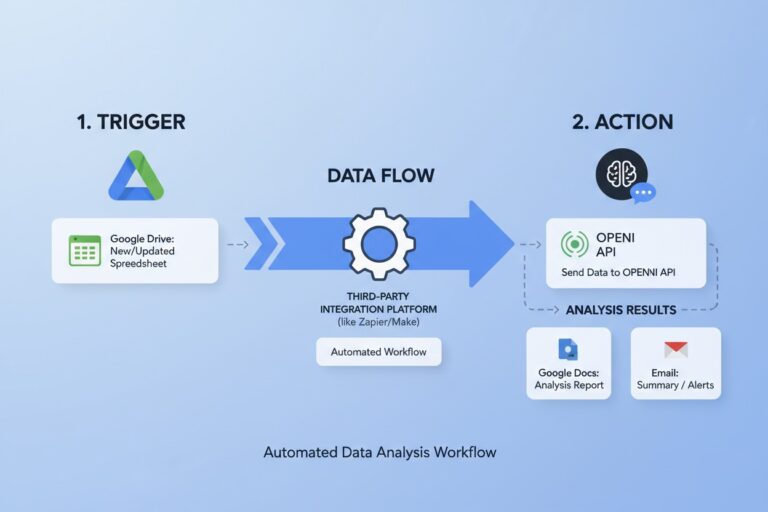
With Canva AI 2.0, the company is positioning itself as more than a design tool. According to UC Today’s analysis, the introduction of recurring background task scheduling, app connectors, and an orchestration layer that runs workflows while users are offline moves Canva into direct competition with tools like Zapier and elements of Microsoft Power Automate .
As CEO Melanie Perkins framed it:
“You generate something in one tool, format it in another, collaborate in a third, and publish through a fourth. Context gets lost between tabs, your brand guidelines live somewhere else entirely, and every extra step slows things down.”
The risk, as noted in enterprise analysis, is that AI agents tend not to fail inside individual platforms — they fail between them, where context breaks down. Whether Canva can maintain coherence across half a dozen connectors at enterprise scale remains to be seen .
8. A Sample AI Workflow: From Idea to Published Campaign
Here’s how a complete marketing campaign might flow through Canva AI 2.0:
Step 1: Start a Conversation
Open Canva and describe your goal: “Create a product launch campaign for our new eco-friendly water bottle targeting fitness enthusiasts.”
Step 2: AI Generates Multi-Channel Assets
Canva AI instantly generates:
- Instagram posts with captions
- Facebook ads
- Email newsletter headers
- A presentation deck for internal stakeholders
- A landing page concept (via Canva Code 2.0)
Everything is on-brand, with your fonts, colors, and logo automatically applied .
Step 3: Review and Refine
Because of layered object intelligence, you can adjust specific elements without breaking the rest. Change the headline font? Only the headline changes. Swap the hero image? Everything else stays intact .
Step 4: Schedule Production
Set recurring tasks: “Generate a week’s worth of social content every Friday.” Canva AI handles it in the background, even while you’re offline .
Step 5: Export and Publish
Download assets in platform-specific formats, or use the Canva Connect API to push directly to your scheduling tools .
9. What’s Still Missing (Honest Assessment)
No tool is perfect. Here are limitations to consider:
Scheduling produces drafts only: Nothing publishes automatically — human review is required. This is a deliberate safety feature but adds a step to fully automated workflows .
API costs add up: At $0.01 per API request, heavy automation can become expensive .
Learning curve for agentic features: Conversational design requires shifting your mental model from “I build” to “I direct.” Some users may find this adjustment takes time.
Third-party integration maturity: As of launch, connectors are available for major platforms, but enterprise-scale reliability across multiple connectors hasn’t been proven .
10. Final Verdict: Should You Adopt Canva AI 2.0 into Your Workflow?
| User Type | Verdict | Why |
|---|---|---|
| Individual creators | Yes | Conversational design removes creative friction |
| Social media managers | Strong yes | Scheduling and multi-channel generation are game-changers |
| Marketing teams | Yes | Brand Intelligence ensures consistency at scale |
| Small business owners | Yes | One tool for design, scheduling, and basic automation |
| Enterprise IT teams | Evaluate | Powerful, but reliability across connectors needs testing |
| Print-on-demand sellers | Yes (with extension) | Batch automation extensions are available |
Canva AI 2.0 represents a genuine shift in how creative work gets done. It’s not just a better design tool — it’s a different way of working. Whether that difference matters to you depends on how much time you currently spend switching between apps, reformatting assets, and manually applying brand guidelines.
For most creators, the answer will be: it matters a lot.
Frequently Asked Questions (FAQ)
Is Canva AI 2.0 free?
Free users get basic access to AI features with limited uses. A Canva Pro subscription is required for unlimited or heavy use .
How do I access Canva AI 2.0?
Canva AI 2.0 launched as a research preview for the first one million users who find it on the Canva homepage, with broader rollout following in the coming weeks .
Can I use Canva AI with ChatGPT?
Yes. Canva has integrated Brand Kit with ChatGPT, allowing you to generate brand-compliant designs directly from ChatGPT with features including Guided Presentation Builder and Live Design Preview .
How do I automate Canva designs?
You have several options: the built-in Scheduling feature for recurring tasks, the Canva Connect API for programmatic control, or browser extensions like Canva Automation for batch processing .
What’s the difference between Canva AI and other AI image generators?
Unlike most AI generators that output flat, uneditable images, Canva AI 2.0 generates fully layered designs with individual editable objects. You can change one element without affecting anything else .
Does Canva AI work for video?
Yes. Canva includes AI-powered video generation from text prompts, Timeline 2.0 editing, automatic captions, and Instant Reels for turning raw footage into finished clips .