Introduction to NotebookLM: How to Build a Private AI Knowledge Base
Introduction to NotebookLM: How to Build a Private AI Knowledge Base, In an age where information overload is the norm, the challenge isn’t finding information—it’s organizing, synthesizing, and retrieving the information that actually matters to you. Google’s NotebookLM represents a fundamental shift in how we interact with our own knowledge: it’s an AI-powered research assistant that answers questions only from the sources you provide, eliminating the hallucinations and internet noise that plague general-purpose chatbots .
Whether you’re a researcher drowning in PDFs, a developer managing scattered documentation, or a student juggling multiple textbooks, NotebookLM offers a way to build a private, queryable knowledge base from your own materials. This guide will walk you through what NotebookLM is, how it works, and how to build your own AI-powered knowledge base in 2026.
What Is NotebookLM?
NotebookLM (short for “Notebook Language Model”) is a Google Labs product built on Gemini that transforms collections of documents into intelligent, interactive workspaces . Unlike ChatGPT or Gemini, which draw from general internet knowledge, NotebookLM is what Google calls a “grounded AI” assistant: it restricts its answers exclusively to the sources you feed into each notebook .
The Core Concept: Notebooks as Isolated Knowledge Bases
Think of NotebookLM as a set of virtual notebooks, each dedicated to a specific project, client, codebase, or research topic. You upload your sources—documents, links, recordings—into a notebook, and NotebookLM processes everything into a searchable, queryable knowledge base . The model never mixes knowledge across notebooks, making it ideal for maintaining strict separation between clients, products, or confidentiality levels .
Key Capabilities at a Glance
| Capability | Description |
|---|---|
| Multi-format ingestion | PDFs, Google Docs, Google Slides, Microsoft Office, text, markdown, URLs, YouTube videos, audio files, images, EPUB books |
| Grounded Q&A | Answers only from your sources; cites specific passages |
| Studio tools | Audio Overviews (podcast-style summaries), mind maps, study guides, timelines, slide decks |
| Cinematic Video Overviews | Fully animated videos with AI narration (Google AI Ultra subscribers) |
| Source capacity | Free tier: 50 sources per notebook; Pro: up to 300 sources |
| Privacy | Pro/Enterprise: Data not used to train Google models |
Why NotebookLM? The Problem It Solves
The Information Sprawl Crisis
Most knowledge workers suffer from what experts call “information sprawl”—documents scattered across Google Drive, PDFs in Downloads folders, notes in multiple apps, links in browser tabs, and insights buried in meeting transcripts . The result is a fragmented knowledge base that takes more time to navigate than it saves.
As one user described: “On paper, it appeared like a well-structured setup. But in reality, I’d waste more time hunting for a half-remembered note than actually using it” .
The Hallucination Problem
General-purpose AI assistants like ChatGPT are powerful but fundamentally unreliable for work with proprietary information. They can fabricate sources, invent quotes, and confidently assert falsehoods . For technical documentation, legal research, or proprietary business information, this is unacceptable.
NotebookLM solves this by grounding every response in your uploaded sources. If information isn’t in your documents, NotebookLM either won’t answer or will explicitly state it doesn’t know .
The Context Window Advantage
Even when feeding documents directly to Claude or GPT-5, you face token limits and inefficiency. Each query requires re-reading multiple files, consuming massive context windows and slowing response times .
NotebookLM pre-processes your documents once. The Gemini model synthesizes your materials into an optimized knowledge base that can answer complex, cross-document questions instantly without re-ingesting source files .
Supported Source Types (2026 Update)
NotebookLM’s flexibility with source formats is one of its greatest strengths. As of 2026, you can upload:
| Source Type | Supported Formats | Notes |
|---|---|---|
| Documents | Google Docs, Google Slides, PDFs, Microsoft Office (Pro), plain text, Markdown | Handwriting digitized from PDFs |
| Books | EPUB (Electronic Publication) | Added March 2026; reflowable text, smaller file sizes |
| Web Content | URLs, web pages | Processed as text |
| Video | YouTube videos (public) | Automatically transcribed |
| Audio | Call recordings, voice notes, audio files | Transcribed automatically |
| Images | PNG, JPG, JPEG | OCR extracts text where present |
| Copied Text | Any text source | Paste directly |
For researchers with digital libraries, the EPUB support added in March 2026 is a game-changer. Students can now upload entire textbooks directly without converting to PDF first, creating searchable knowledge bases from their ebook collections .
How to Build Your Private Knowledge Base
Step 1: Create a Notebook and Set Up Your Workspace
- Navigate to notebooklm.google.com and sign in with your Google account
- Click “Create new notebook” and give it a meaningful name for your project
- Understand that each notebook is completely isolated—no cross-contamination between projects
Step 2: Upload Your Sources
Add all relevant materials for your project:
- Upload PDFs, Google Docs, or Microsoft Office files directly
- Paste URLs for web content or public YouTube videos
- Add EPUB files for ebooks and textbooks
- Upload audio recordings (NotebookLM transcribes them automatically)
- Paste copied text from anywhere
In the free tier, you can add up to 50 sources per notebook; Pro tier supports up to 300 sources with each source handling approximately 500,000 words .
Step 3: Let NotebookLM Process Your Materials
Once uploaded, NotebookLM’s Gemini engine processes all sources, extracting text, transcribing audio, digitizing handwriting, and building cross-document connections . This preprocessing is what enables instant, synthesized answers later.
Step 4: Start Querying with Natural Language
This is where the magic happens. You can ask complex, cross-document questions in plain English:
- “What did our user interviews say about the onboarding experience?”
- “Which services call the billing API according to these architecture docs?”
- “How do goal-setting strategies connect to long-term performance?” (across multiple papers)
NotebookLM will synthesize answers from all relevant sources, always with inline citations linking back to the exact passage, slide, or transcript segment .
Step 5: Use Studio Tools for Synthesis
Beyond Q&A, NotebookLM’s Studio can generate various outputs with one click:
- Audio Overviews: Podcast-style conversations between AI hosts discussing your materials—perfect for learning while commuting
- Mind Maps: Visual concept maps showing relationships across documents
- Study Guides and FAQs: Structured summaries for learning
- Timelines: Chronological organization of events from your sources
- Slide Decks: Presentation-ready summaries
- Cinematic Video Overviews: Fully animated videos with AI narration (Google AI Ultra subscribers)
Step 6: Save Insights as Notes
Any answer or conversation segment that proves valuable can be saved as a note. Notes themselves can later be promoted to full sources, creating an iterative loop where your distilled insights become permanent parts of the knowledge base .
Advanced: Using NotebookLM with AI Coding Agents
For developers and technical teams, NotebookLM’s true power emerges when connected to AI coding agents. The NotebookLM MCP Server (Model Context Protocol) allows Claude Code, Cursor, and Codex to query your NotebookLM knowledge base directly from the terminal .
The Problem This Solves
When AI coding agents try to reference your documentation, they typically:
- Consume massive tokens by re-reading multiple files
- Miss context and connections across documents
- Hallucinate APIs when information is missing
The NotebookLM MCP Solution
With the MCP server configured, your coding agent can:
- Query NotebookLM directly with natural language questions
- Receive synthesized, citation-backed answers using Gemini 2.5
- Build understanding iteratively by asking follow-up questions automatically
- Select relevant notebooks automatically based on your current task
Example: Building n8n Workflows Without Hallucinations
When a developer needed to build an n8n workflow (a platform with newer APIs that Claude hallucinated), they:
- Downloaded complete n8n documentation and uploaded to NotebookLM
- Configured the MCP server
- Told Claude: “Build me a Gmail spam filter workflow using this NotebookLM”
Claude then autonomously queried NotebookLM multiple times:
- “How does Gmail integration work in n8n?”
- “How to decode base64 email body?”
- “How to parse OpenAI response as JSON?”
- “What about error handling if the API fails?”
The result: A perfect workflow on first try—no debugging hallucinated APIs .
MCP Profiles
The MCP server offers three profiles to control token usage:
| Profile | Tools | Use Case |
|---|---|---|
| minimal | 5 tools (query-only) | Simple Q&A; lowest token cost |
| standard | 10 tools | Plus library management |
| full | 16 tools | All features including cleanup |
Privacy, Security, and the Local Alternative
Google’s Privacy Commitment
For Pro and Enterprise users, Google commits that your documents and prompts remain private to your organization and are not used to train Google’s base models . For many companies, this commitment enables moving from “shadow AI” (unofficial, unapproved tool use) to adopting NotebookLM as an official, sanctioned tool.
The Local Alternative: NotebookLM-Local
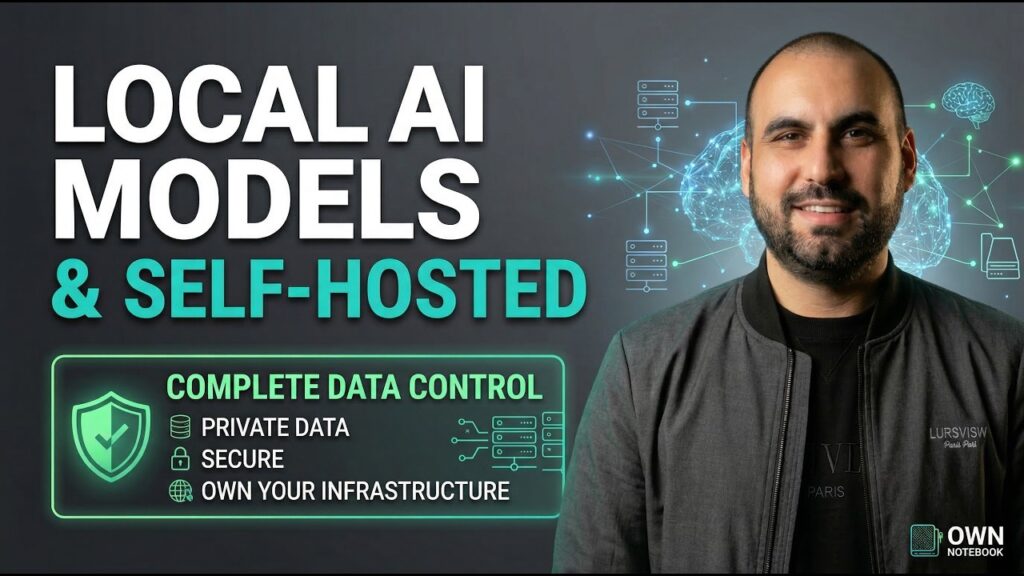
For organizations with strict data sovereignty requirements—or anyone who wants complete offline control—NotebookLM-Local is an open-source alternative that runs entirely on your own machine .
Features:
- All processing happens locally—no data leaves your device
- Runs on Apple Silicon (M1/M2/M3) with Metal acceleration
- Uses Qwen-3 4B model and BGE-Micro embeddings
- RAG (Retrieval-Augmented Generation) engine
- Streamlit web interface
Trade-offs: Local models are smaller (4B parameters vs. Gemini’s trillion-scale), so answer quality and synthesis depth won’t match Google’s cloud version. But for sensitive data where privacy is paramount, it’s a viable alternative.
NotebookLM vs. Competitors: How It Compares
NotebookLM vs. Perplexity
In head-to-head testing with difficult research prompts, both tools excelled but served different needs:
| Test Category | Winner | Reason |
|---|---|---|
| Houseplant care | NotebookLM | Extra detail and learning resources |
| Breakfast cereal comparison | Perplexity | Cleaner, more actionable formatting |
| Public transit apps | Perplexity | Direct answer; NotebookLM strayed off-topic |
| Healthy snacks | Perplexity | Actually delivered requested recipes |
| Home energy efficiency | NotebookLM | Detailed, engaging multimedia output |
Bottom line: Perplexity is more reliable for direct answers; NotebookLM excels when you want deep synthesis, multimedia learning, and the ability to follow up with questions grounded in your sources .
NotebookLM vs. Obsidian vs. Google Keep
A comparison of note-organization workflows found:
| Tool | Strengths | Weaknesses |
|---|---|---|
| NotebookLM | Zero-effort organization; synthesis across sources; natural language Q&A | Less manual control; data privacy concerns |
| Obsidian | Long-term knowledge building; visual linking; complete control | High maintenance; requires discipline |
| Google Keep | Fast capture; quick access | Weak organization; fails at scale |
The optimal workflow: Use Obsidian for long-term knowledge storage, Keep for quick capture, and NotebookLM as a synthesis layer on top—letting AI organize what you’ve already collected .
Limitations to Keep in Mind
Despite its strengths, NotebookLM isn’t perfect:
| Limitation | Current Status |
|---|---|
| No folder organization | Notebooks and notes lack folders; can become messy at scale |
| No one-click export | Sharing generated files requires manual steps |
| Cinematic Video Overviews | Currently only for Google AI Ultra subscribers; Pro users waiting |
| Language support | Cinematic Video Overviews English-only for now |
| Not an annotation tool | Not designed for deep manual control over files |
| Cloud dependency | Requires Google account; not for air-gapped environments |
Conclusion: The Shift from Manual Organization to AI-Augmented Knowledge
The rise of NotebookLM signals a fundamental shift in how we work with information. For decades, knowledge management meant imposing structure manually: folders, tags, links, and endless categorization. The cognitive overhead of organizing often outweighed the benefits of retrieval.
NotebookLM represents a different paradigm: dump everything in, let AI make sense of it. Instead of spending hours building the perfect folder hierarchy, you upload your materials and start asking questions. The AI handles synthesis, cross-referencing, and retrieval—you focus on the insights.
As one user put it: “What surprised me most about NotebookLM was how it organized my notes with almost no effort. I could upload 10 articles, ask it for a comparison of viewpoints, and get something coherent in seconds. That would have taken me hours with Obsidian or Keep” .
The tool isn’t perfect. It won’t replace the deep linking of Obsidian or the speed of Google Keep for fleeting thoughts. But for researchers, developers, students, and knowledge workers drowning in information sprawl, NotebookLM offers something unprecedented: a private, queryable, AI-powered knowledge base that works with your materials, not against them.
And with the ability to connect it to AI coding agents via MCP, NotebookLM is becoming not just a research assistant but a foundational component of the AI-augmented technical workflow .
The future of knowledge work isn’t better folders—it’s better questions. NotebookLM helps you ask them.